The Hypermedia Online Multiplayer Adventure System
A client and engine for real-time text worlds, and the editors you build one with. Architect is one game that runs on it.
by David Lacey and John Akerson
Plugins at boot
131
Engine modules
111
Editor screens
42
Tables
150
Content files
41,419
Build step
none
Runtime · what a player sees
The client
Raw WebSockets, vanilla JavaScript, one HTML file per client and a sibling stylesheet. No framework, no bundler, no build step: what's in the repo is what the browser runs.
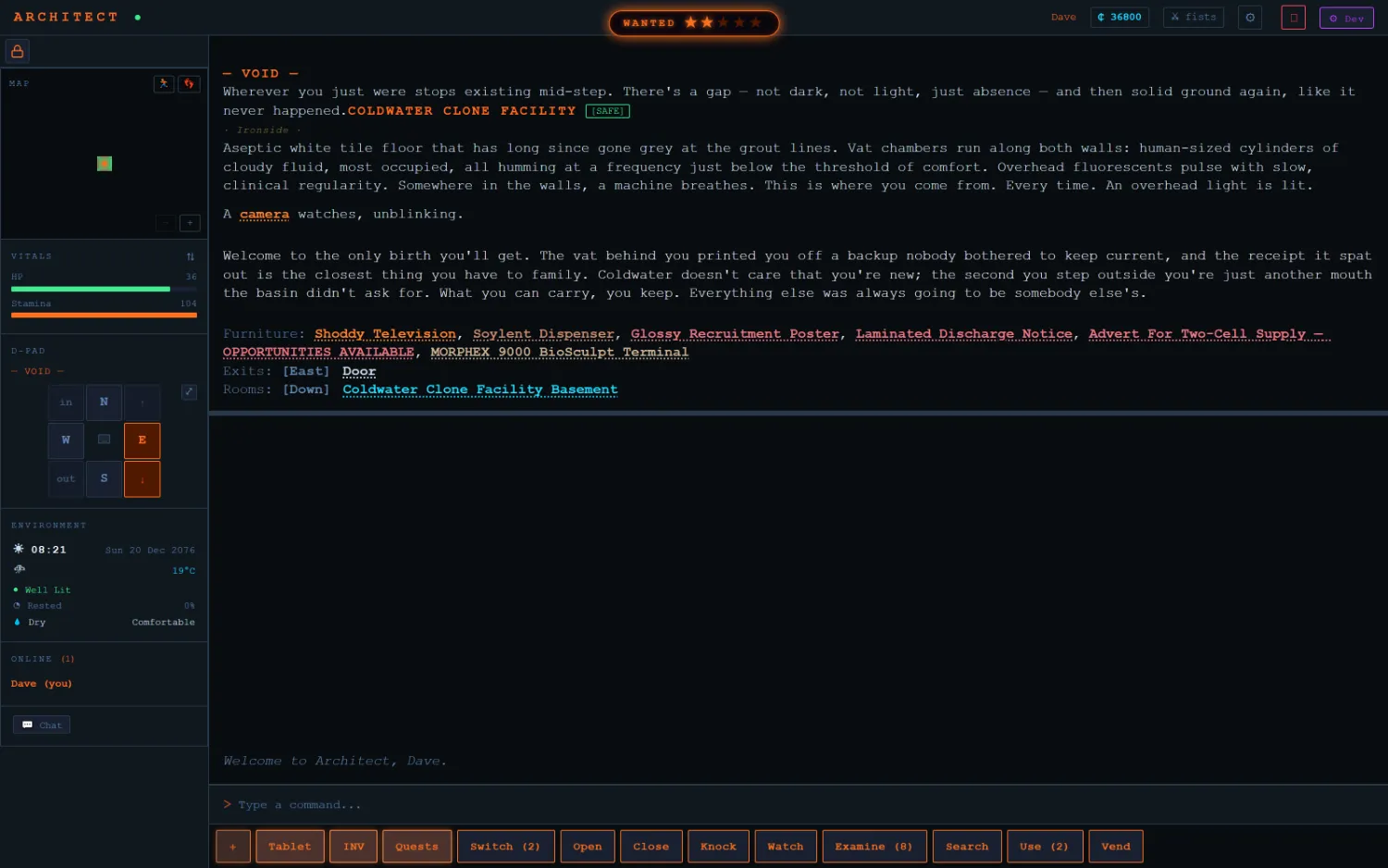
The room is prose, and everything around it's instrumentation: a minimap, vitals, a D-pad, the environment block (clock, in-world date, temperature, light, rest, dryness), who else is here, and a smartbar that offers only the verbs this room can actually take. Nouns in the description are live: the camera, the furniture, the exits are all clickable.
Architect · game client
Coldwater Clone Facility. Vitals, minimap and D-pad on the rail; the smartbar along the bottom carries Switch (2), Examine (8), Use (2), counts derived from what's in the room. The wanted-star meter is at the top; the tile is flagged [SAFE].
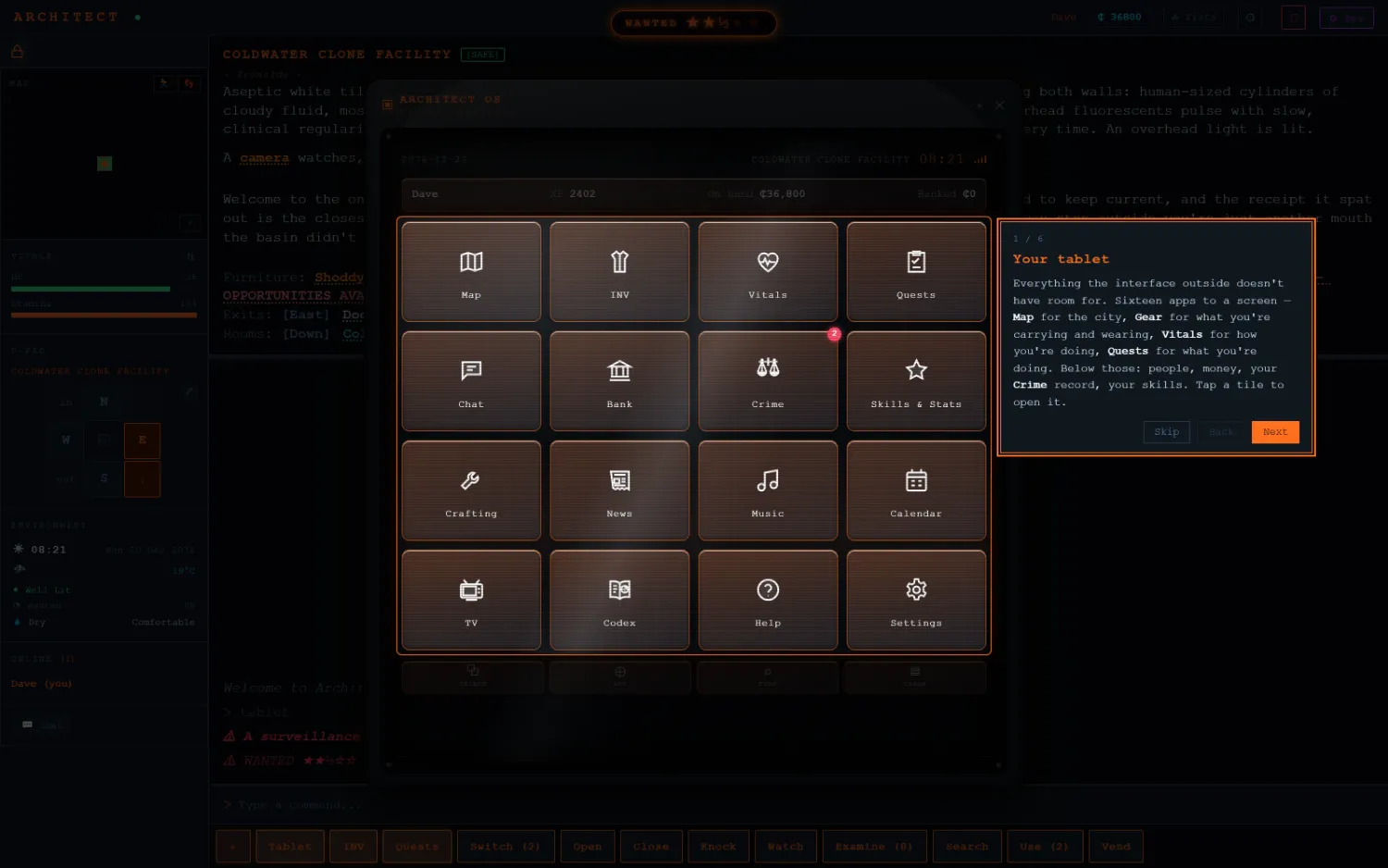
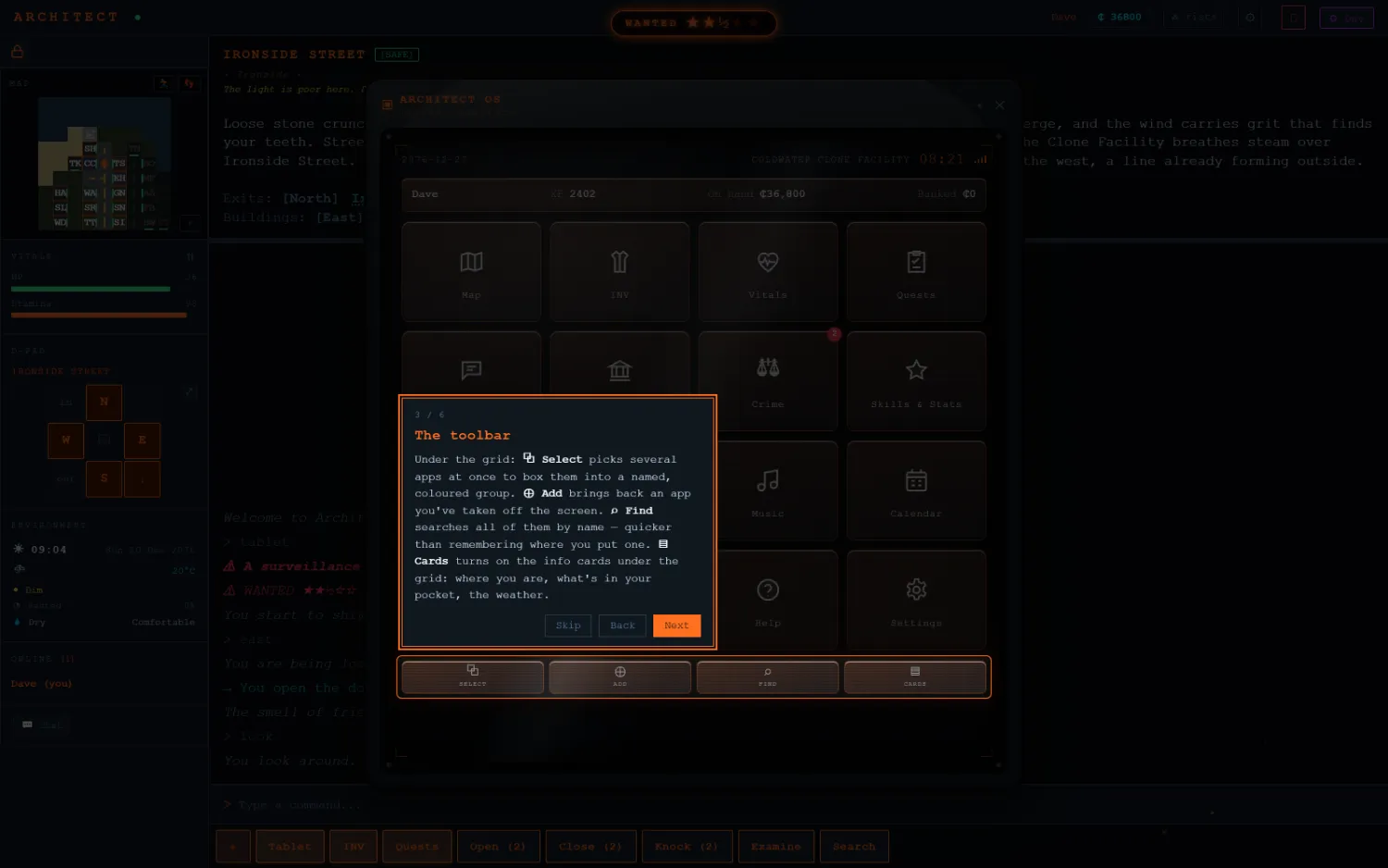
Architect OS · the in-world tablet
Sixteen apps on one screen: map, inventory, vitals, quests, chat, bank, crime record, skills, crafting, news, music, calendar, TV, codex, help and settings. Everything the surrounding interface has no room for. First-run guidance is part of the client.
One surface, three rungs
Every system with both a graphical presentation and a written one answers to a single player preference: visual, textgames, or log. At the bottom rung the panels stand down and the record reaches the log instead, so the whole game remains playable through a screen reader. The ladder lives in the engine, so every system uses the same one.
/dev
The dev panel
Forty-two screens pointed at the running world. The world is built through this panel, and its own chrome reads POWERED BY THOMAS.
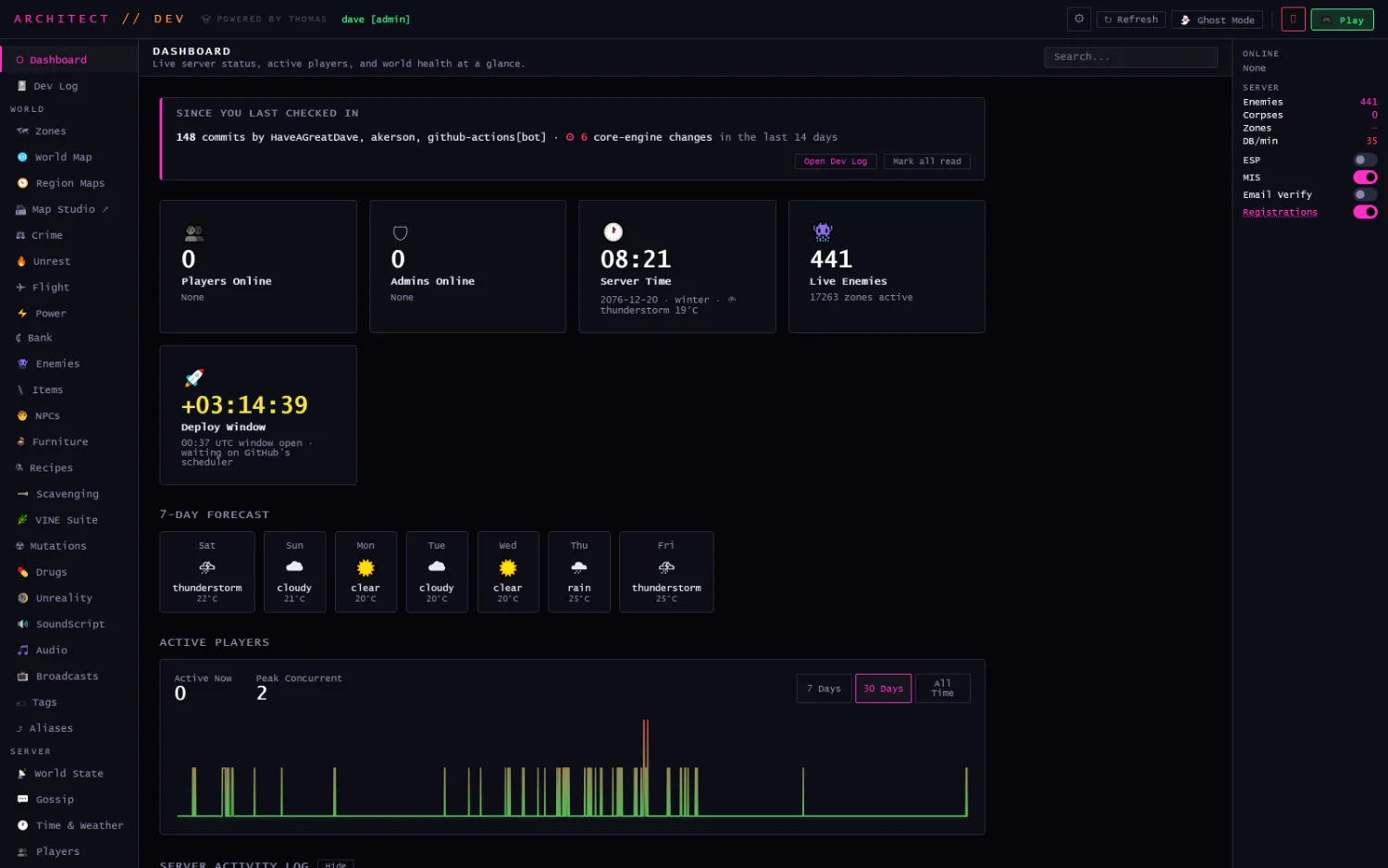
Dashboard · /dev
Live server status, active players, and world health at a glance. Server time runs on the in-world calendar (20 Dec 2076, winter, thunderstorm, 19°C) with a seven-day forecast beside it. 441 live enemies. The right rail carries feature switches (ESP, the mature layer, email verification, registrations), and the deploy window counts down to the next publish.
Sessions are role-gated (admin, dev, builder, designer), and two buttons cross the boundary into the game itself: Ghost Mode drops you into any zone unseen, and Play hands your session to the game client so you land in-world as your own character.
/dev → world map
Regions on a global grid
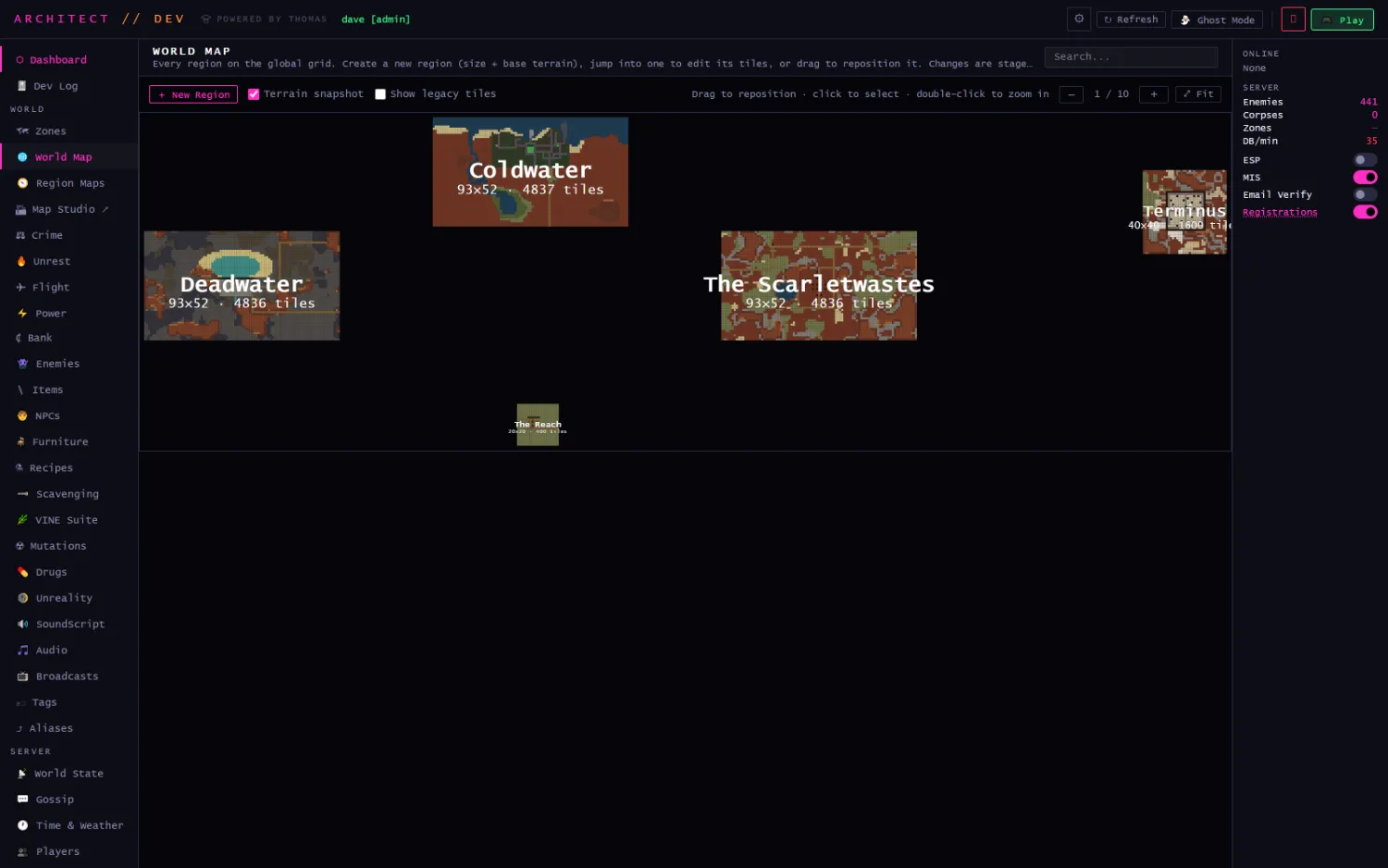
The world is regions placed on one grid. Create a new one by naming a size and a base terrain, drag it to reposition, double-click to fall into its tiles.
World Map
Five regions, each drawn from its own terrain snapshot. Coldwater 93×52 · 4,837 tiles; Deadwater 93×52 · 4,836; The Scarletwastes 93×52 · 4,836; Terminus 40×40 · 1,600; The Reach 20×20 · 400. Changes stage rather than publish.
/dev → region maps
The terrain painter
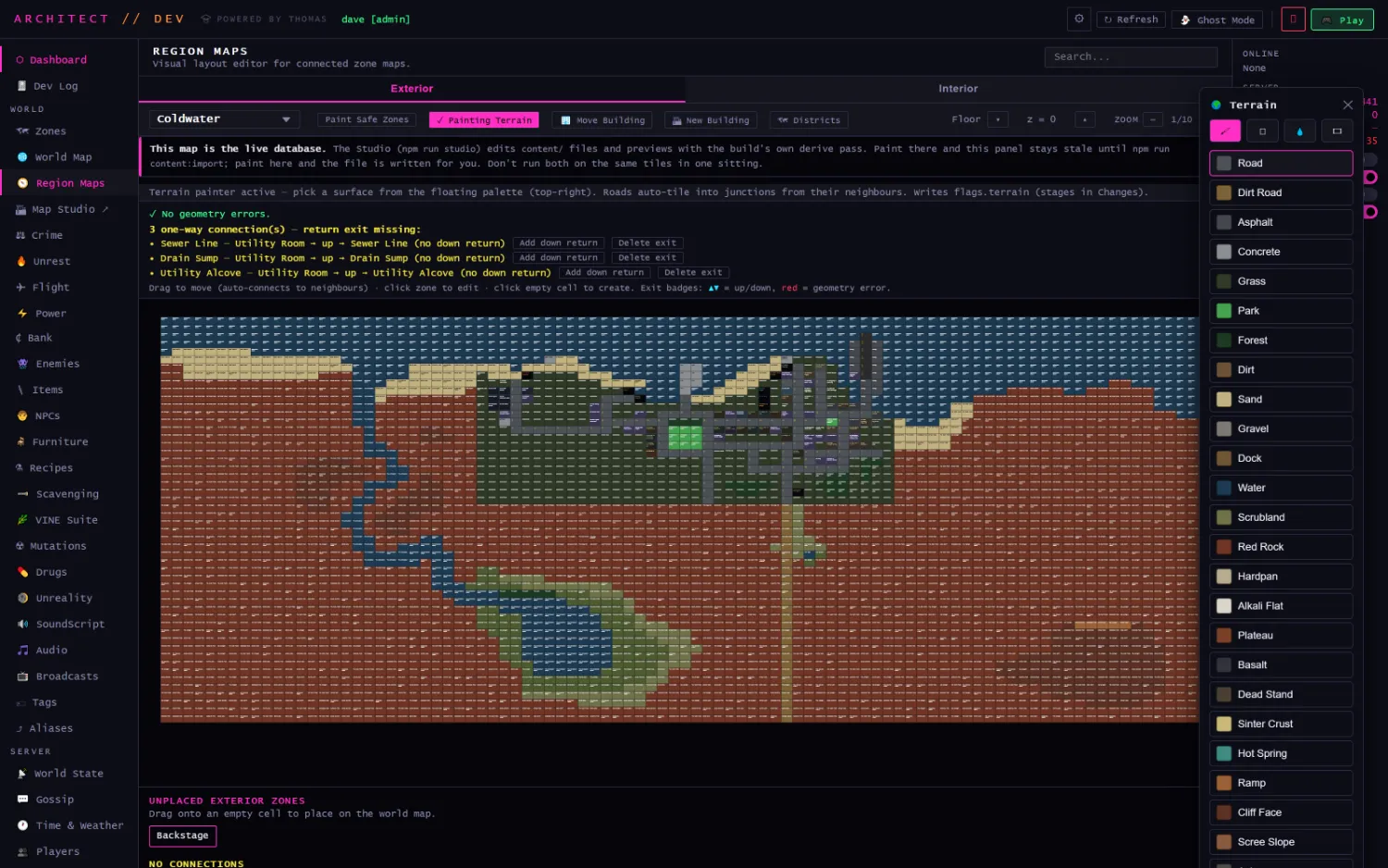
Inside a region, tiles are painted. Roads auto-tile into junctions from their neighbours; the brush writes flags.terrain, which is the single source of truth for ground surface everywhere downstream: minimap, tablet, pacing, footstep audio.
Region Maps · Coldwater, painting terrain
Visual layout editor for connected zone maps. The floating palette carries the full surface vocabulary: road, dirt road, asphalt, concrete, grass, park, forest, sand, gravel, dock, water, scrubland, red rock, hardpan, alkali flat, plateau, basalt, dead stand, sinter crust, hot spring, ramp, cliff face, scree slope. Above the canvas the panel is running a live geometry check: no geometry errors, but three one-way connections missing a return exit, each with a one-click fix.
Buildings, floors and z-levels are handled in the same view. z = 0 is the street, and the Interior tab holds the rooms behind the facades.
localhost:5180
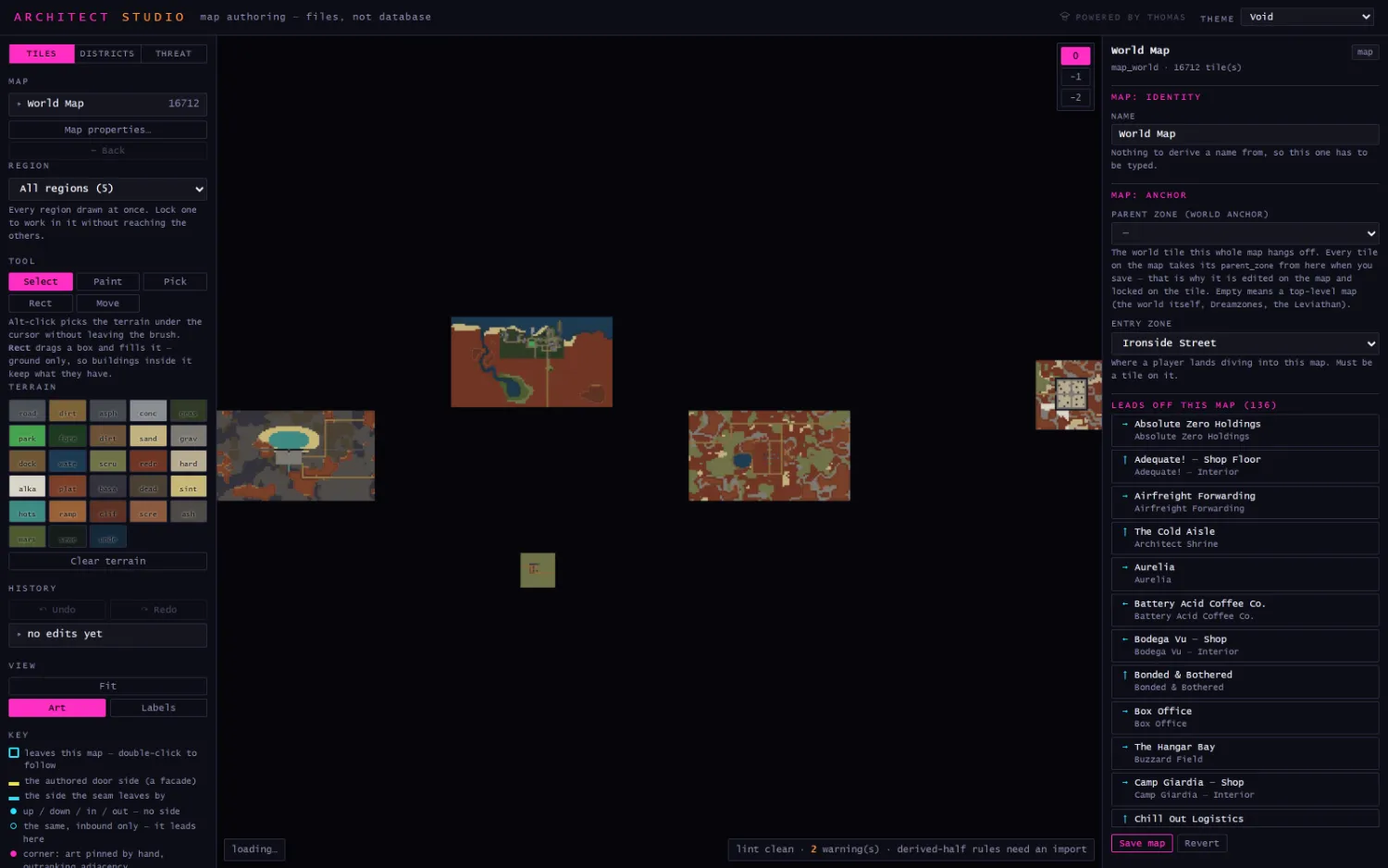
The Studio: a map editor that edits files
A second, deliberately separate editor with no database in the process. It reads and writes the content tree and nothing else.
Architect Studio · map authoring from files
All five regions drawn at once, 16,712 tiles. Every fill and glyph comes from the same derive pass the content import runs, so the preview can't show a colour the build wouldn't produce. The status bar lints continuously (lint clean · 2 warnings), and the right pane lists the 136 exits that lead off this map. Thirty-one themes ship with it.
Why two map editors
The dev panel edits the live database; the Studio edits files. They're two processes because the Studio parses the whole content tree to lint, which inside the game server would stall the tick loop. The panel says so itself, in the banner above its own canvas: don't run both on the same tiles in one sitting.
/dev → vine suite
VINE
The graph layer. Four families of node graph, one canvas and one editor, with a hub that reaches every graph in the game.
VineQuestObjective DAGs & rewards
VineDialogueNPC conversation trees
VineAINPC & enemy behaviour
VineScriptsScripted events
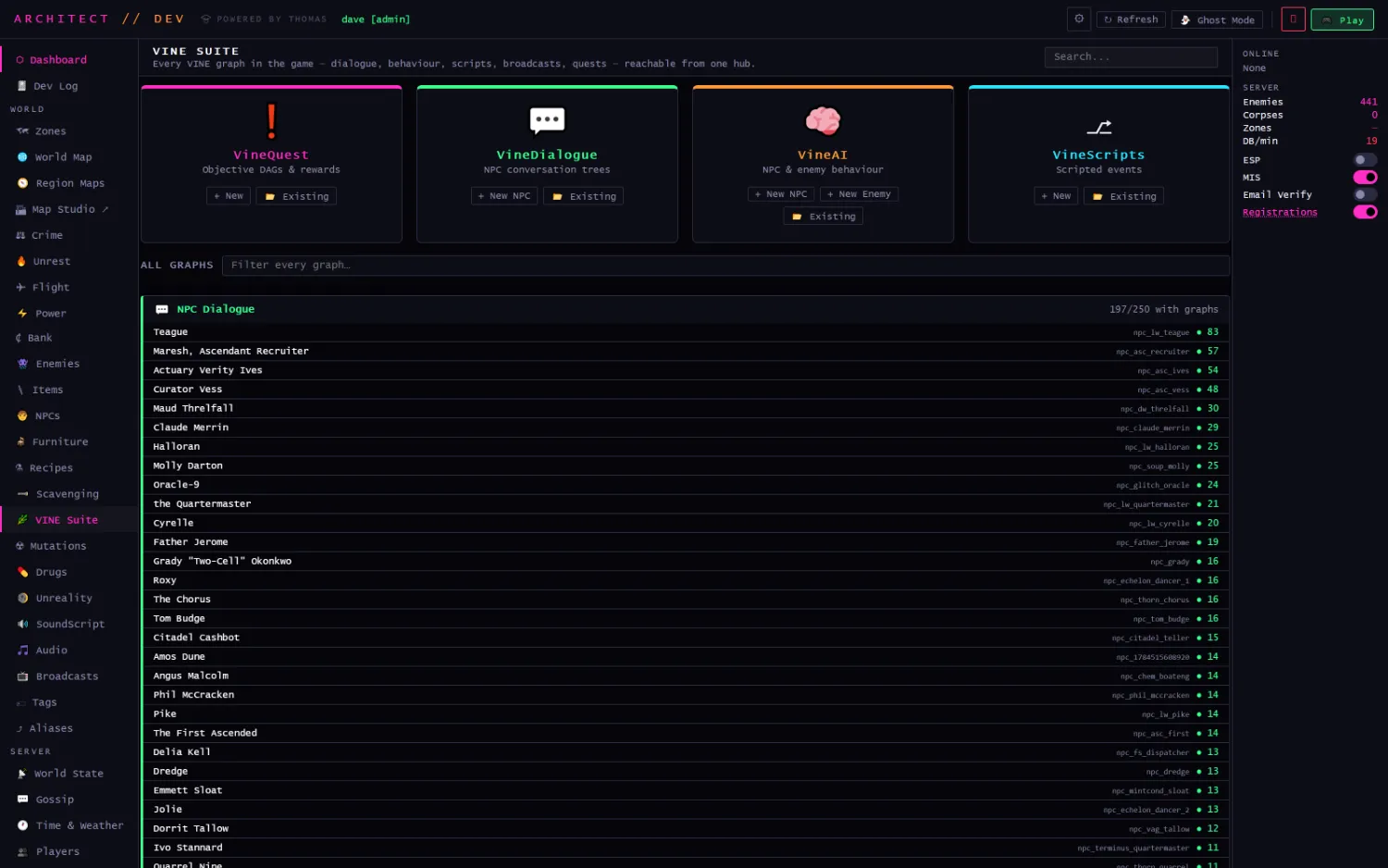
VINE Suite
Every VINE graph in the game (dialogue, behaviour, scripts, broadcasts, quests), reachable from one hub. The index is sorted by weight, so the biggest graphs surface first, and it counts its own coverage: 197 of 250 NPCs have a dialogue graph. Each row carries the record id and its node count.
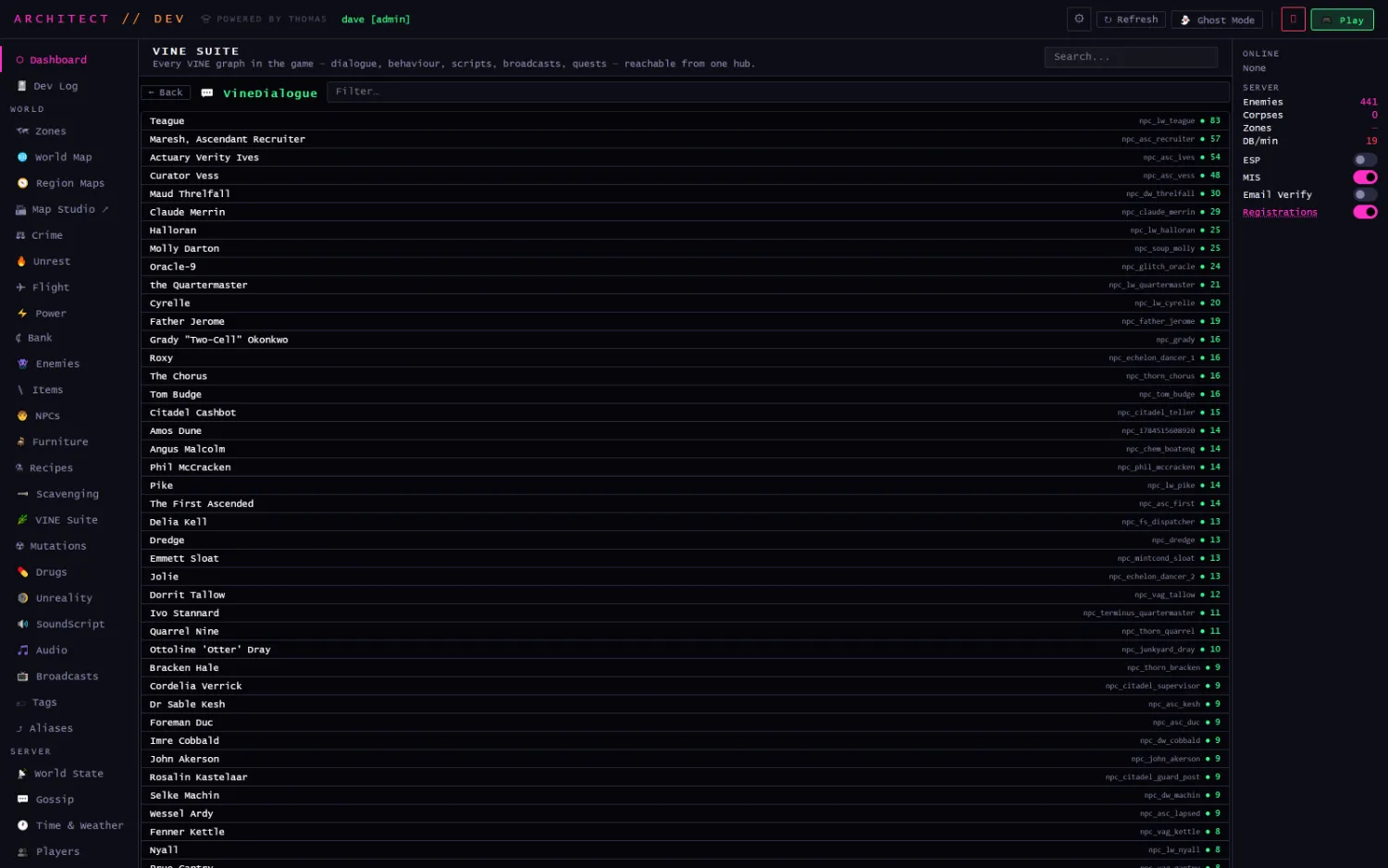
VineDialogue · index
One family's flat list. Clicking a row switches to the panel that owns the record, opens that record's real edit form, and then fires the graph editor on top of it. There's no second copy of the data.
VINE → dialogue
Conversation as a graph
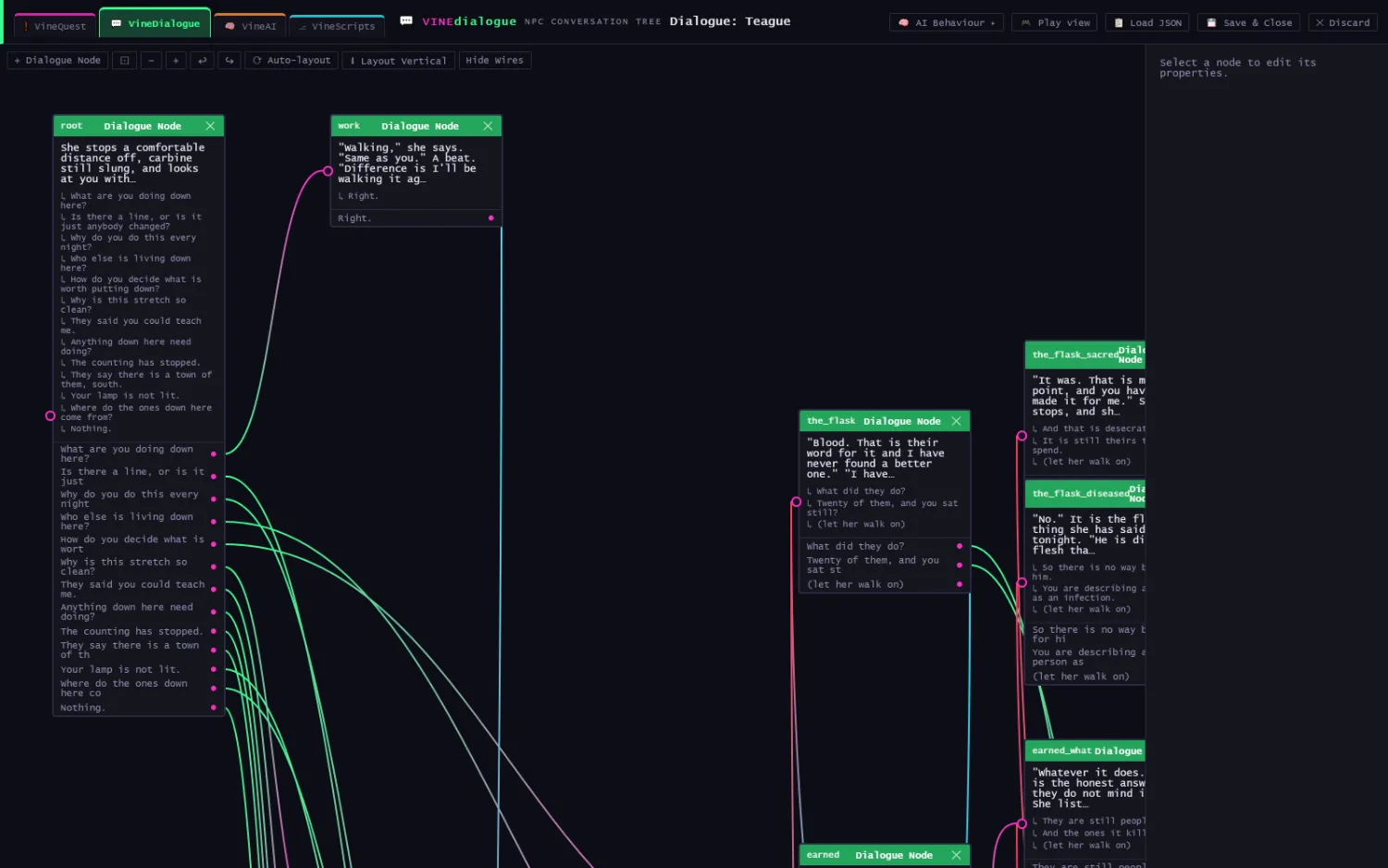
A dialogue node holds the line the character speaks and every reply the player can give. Replies are ports; wires are where they go.
VINEdialogue · Dialogue: Teague, 83 nodes
The largest conversation in the game. The root node carries fourteen openings; each has its own outbound port on the node's lower half, and the wires fan out from there. Node ids (root, work, the_flask, the_flask_sacred, the_flask_diseased, earned) are the author's own naming, and the prose is the shipped prose. You edit it here.
The tab strip at the top left switches the same record between families without leaving the canvas: an NPC's dialogue and that NPC's behaviour tree are two graphs on one row, and AI Behaviour › in the toolbar crosses straight over. Play view walks the tree as a player would read it.
VINE → ai
Behaviour trees
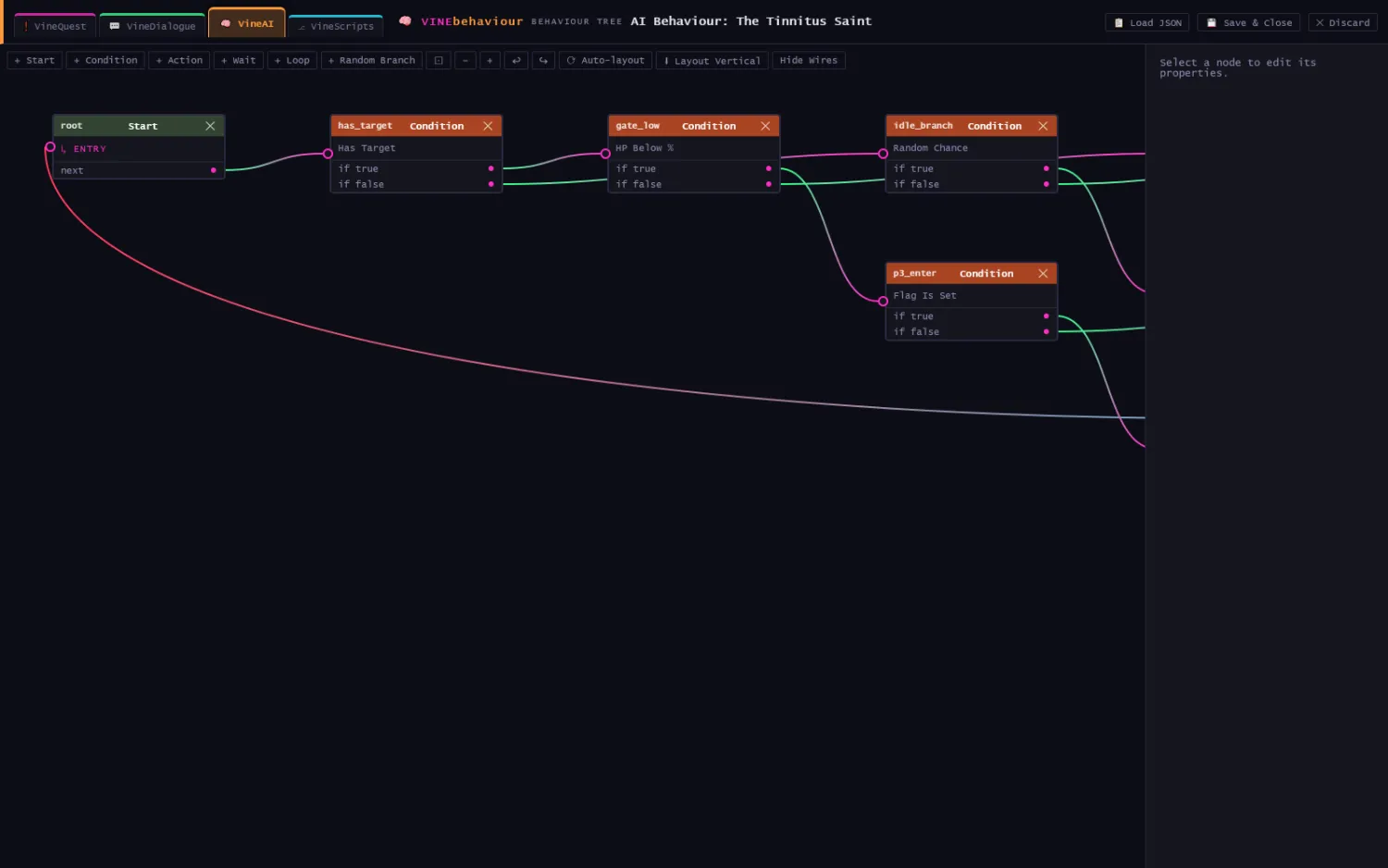
The same canvas, a different schema. Six node types (Start, Condition, Action, Wait, Loop, Random Branch), and the palette in the toolbar is generated from the schema rather than hand-written per family.
VINEbehaviour · AI Behaviour: The Tinnitus Saint
Conditions branch on Has Target, HP Below %, Random Chance and Flag Is Set, each with true and false ports. Colour is typed, not decorative: green for entry, orange for conditions, blue for actions.
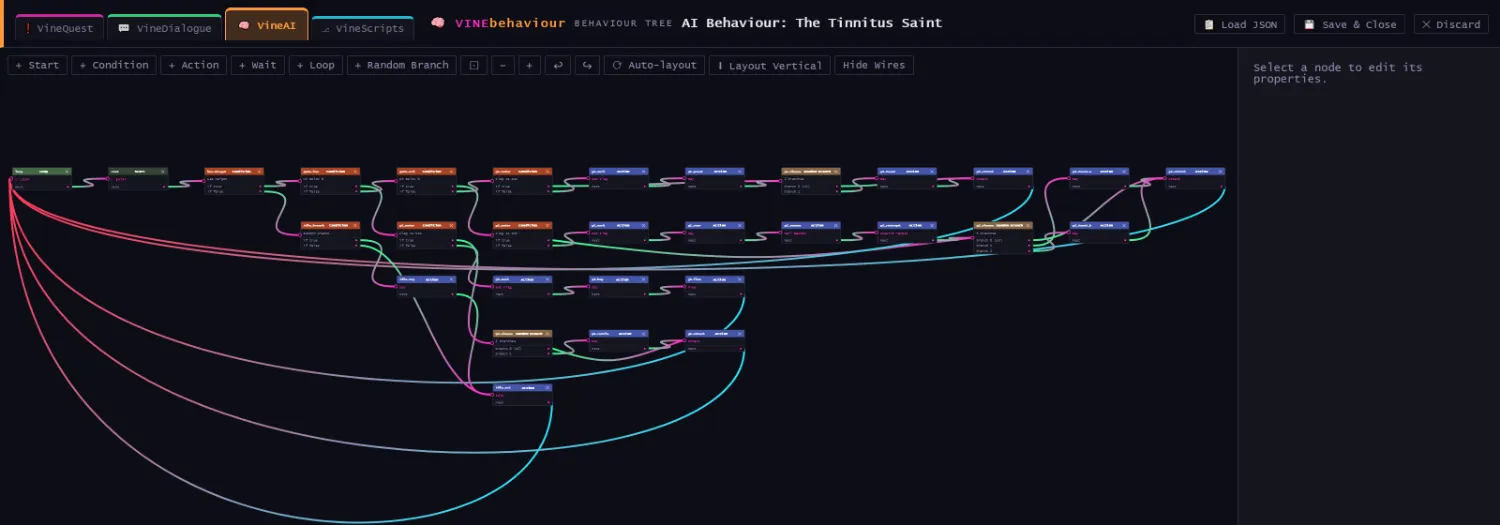
VINEbehaviour · auto-laid out, 30 nodes
The same tree after Auto-layout, which arranges left-to-right and minimises crossings. The long returning wires are the loop edges, because a behaviour tree is a cycle. The largest behaviour graph in the world is 98 nodes.
VINE → scripts, quests
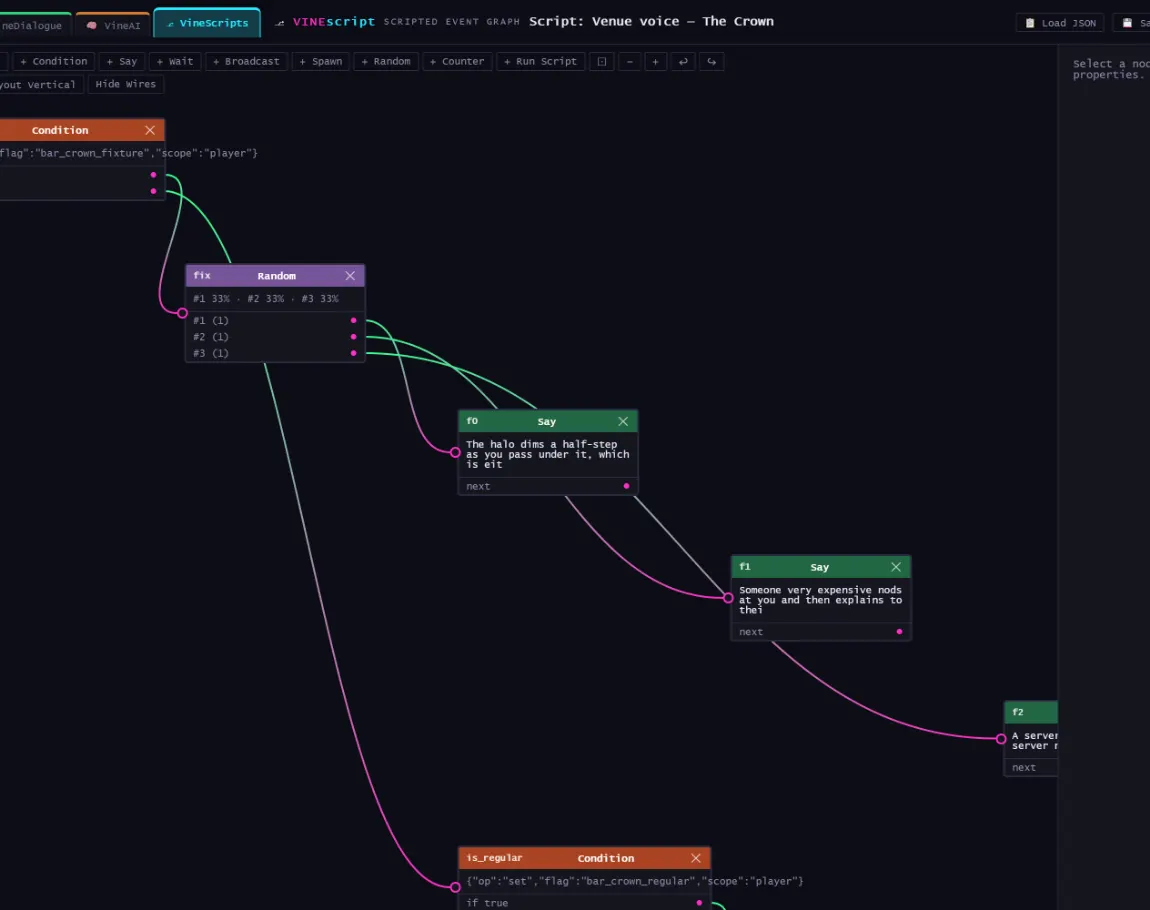
Scripted events and objectives
VineScripts
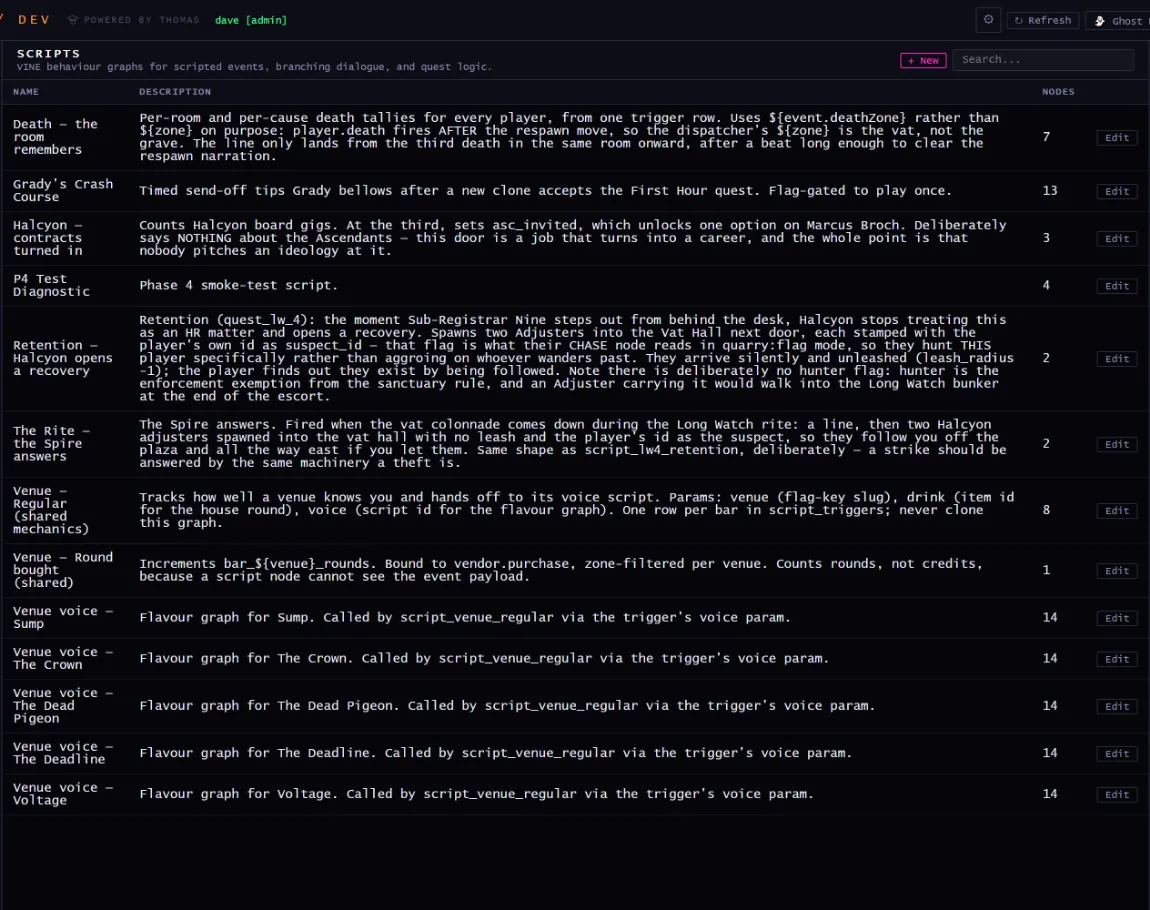
Scripts
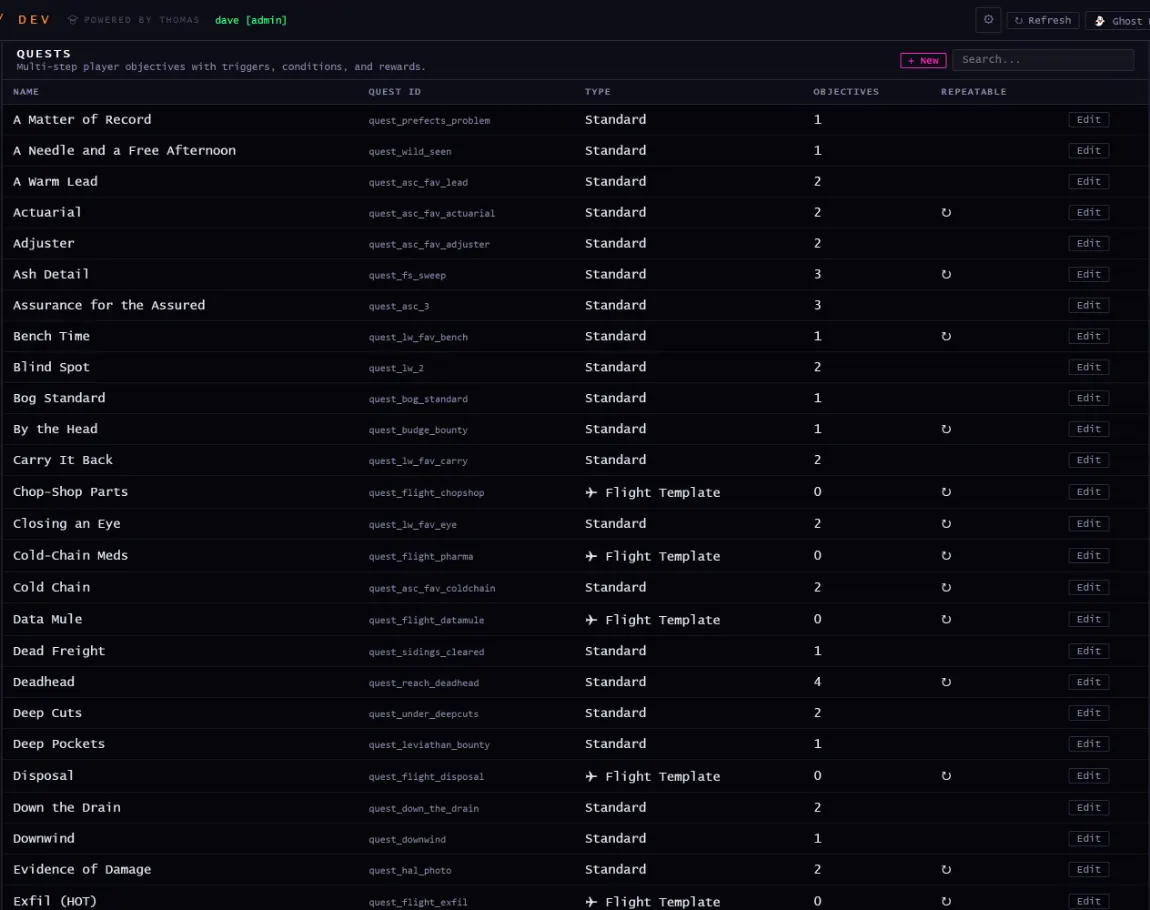
VINE behaviour graphs for scripted events, branching dialogue, and quest logic.
Quests
Quests
Multi-step player objectives with triggers, conditions, and rewards.
Scripts · registry
Script registry
Every script graph in the world, with its trigger and node count.
/dev → content
Content editors
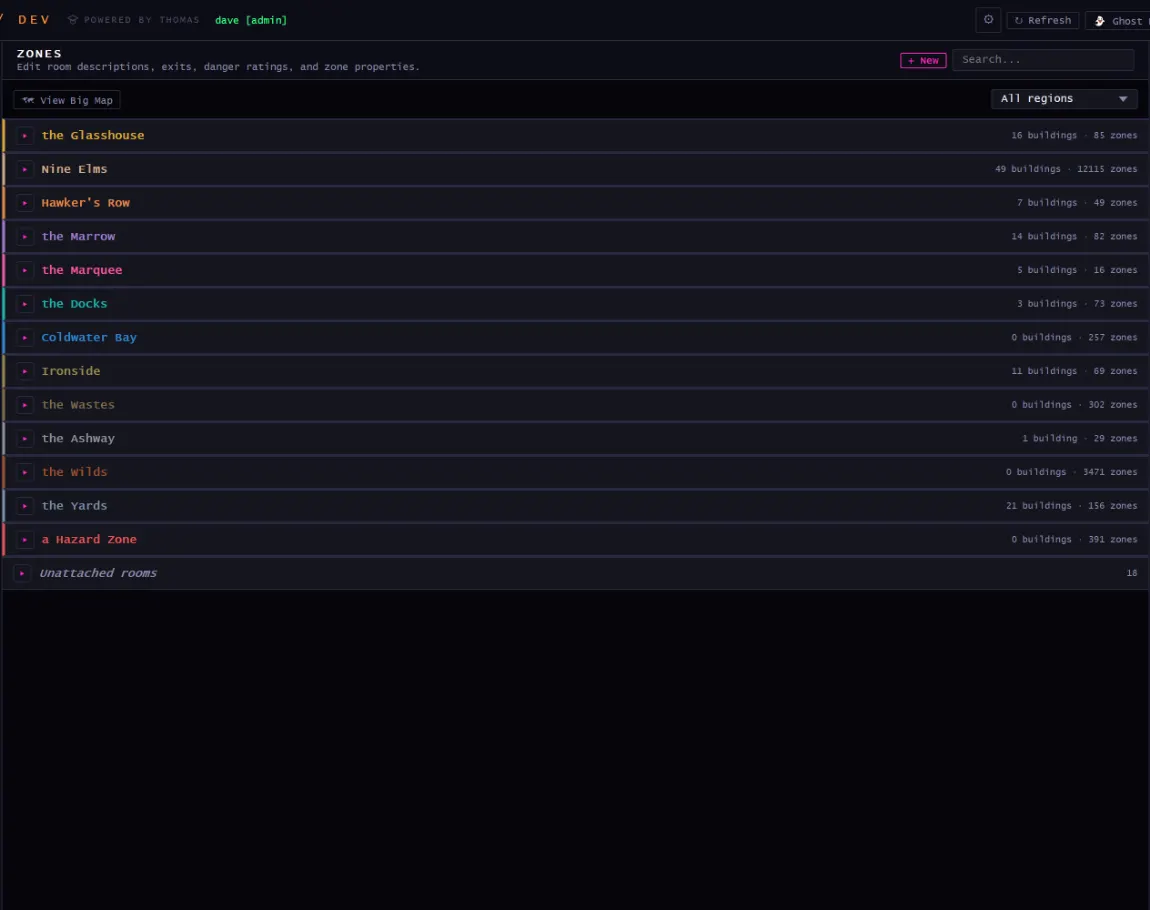
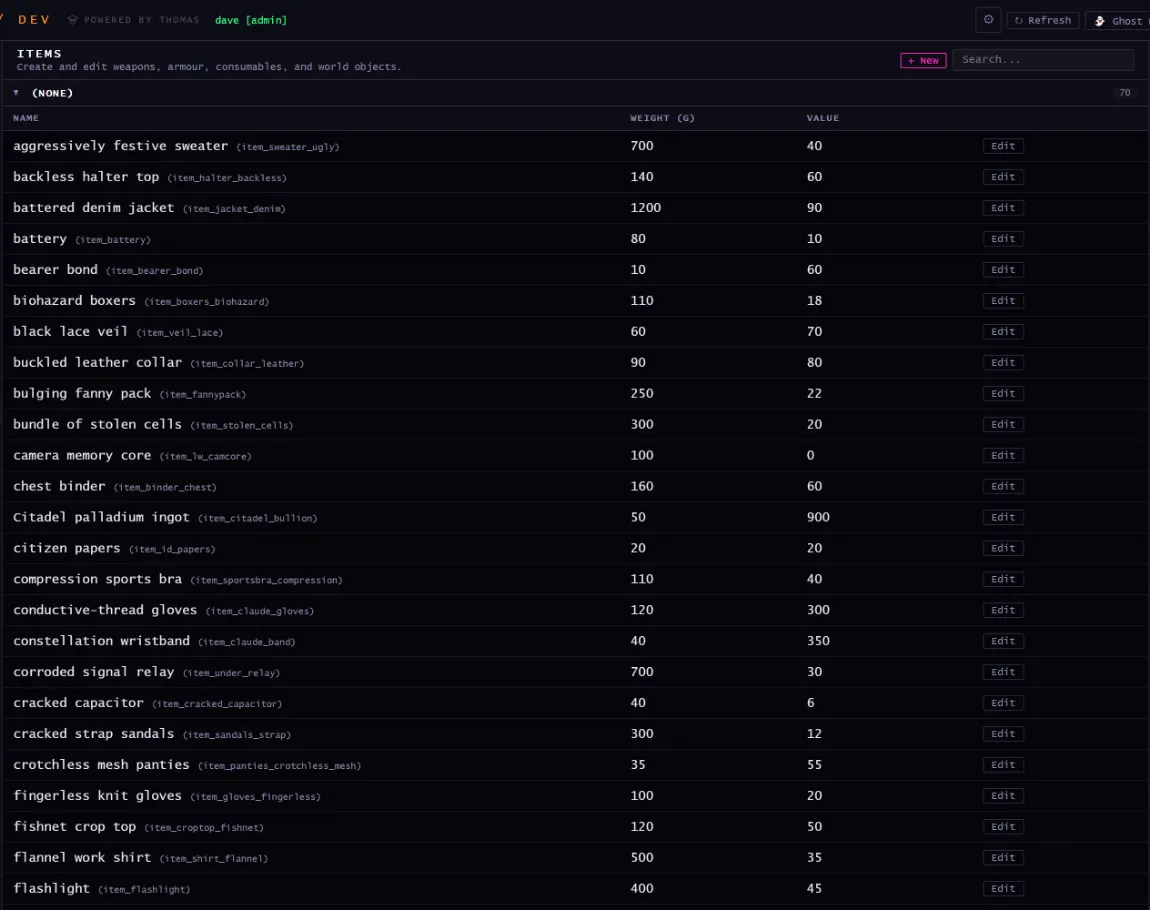
Sixty-five content types, 41,419 files. Every one of these screens is a form over a table, and every table exports to one JSON file per entity, so the world is diffable, reviewable and deployed by a push.
Zones
Zones
Edit room descriptions, exits, danger ratings, and zone properties.
Items
Items
Create and edit weapons, armour, consumables, and world objects.
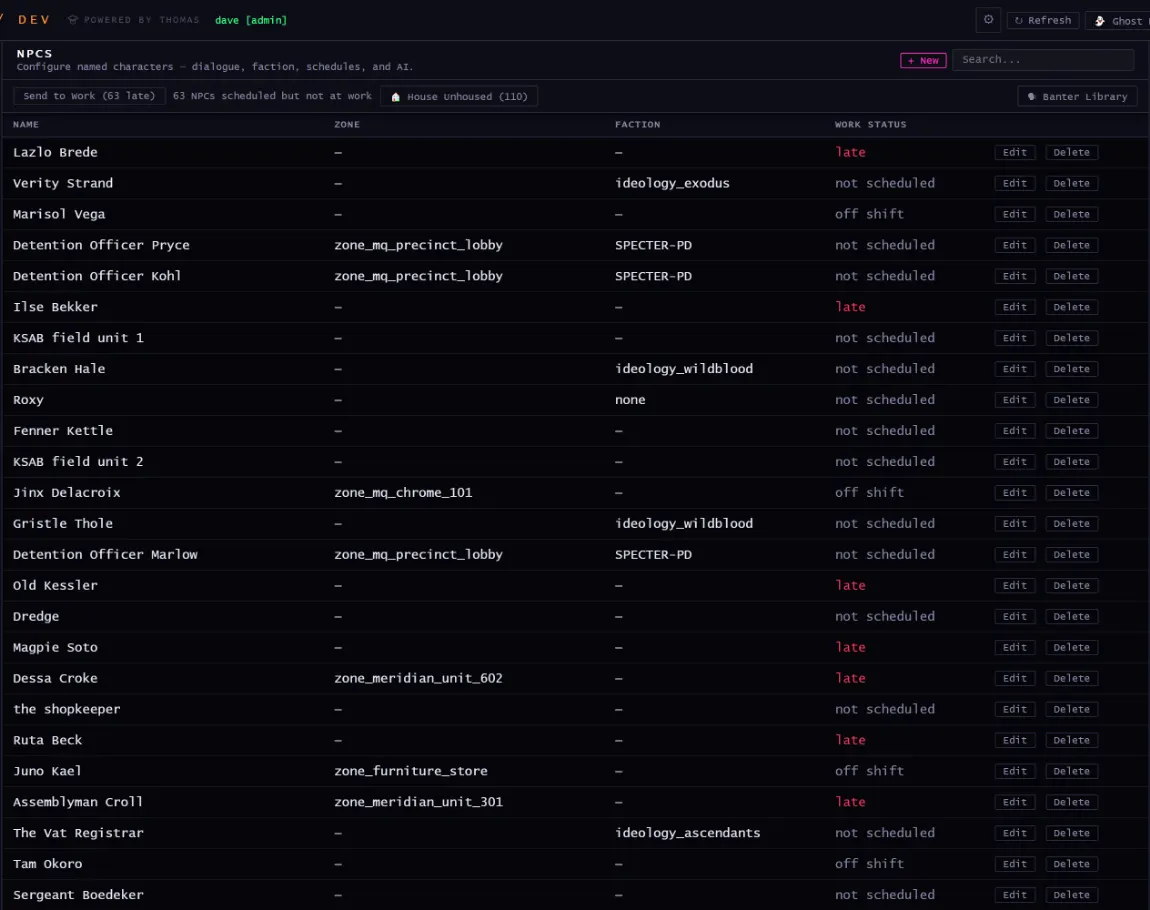
NPCs
NPCs
Configure named characters: dialogue, faction, schedules, and AI.
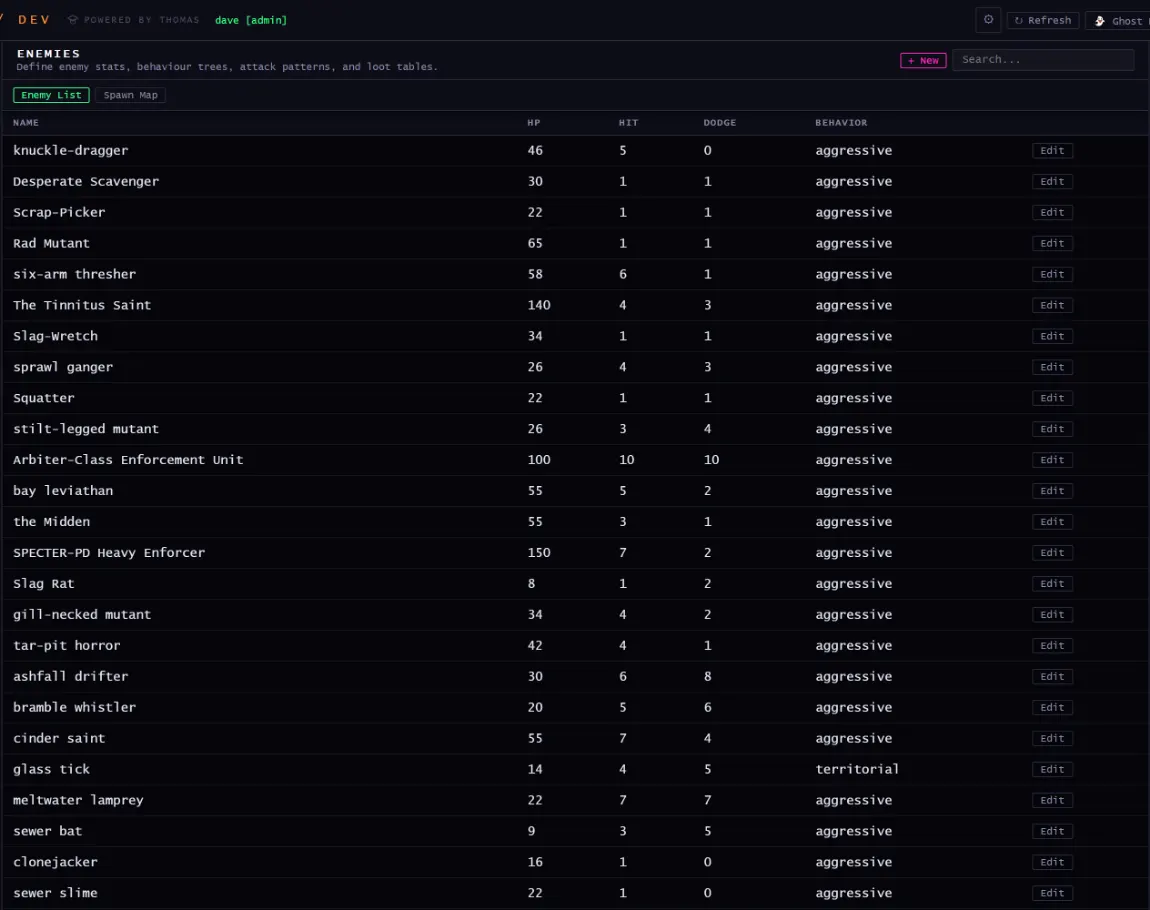
Enemies
Enemies
Define enemy stats, behaviour trees, attack patterns, and loot tables.
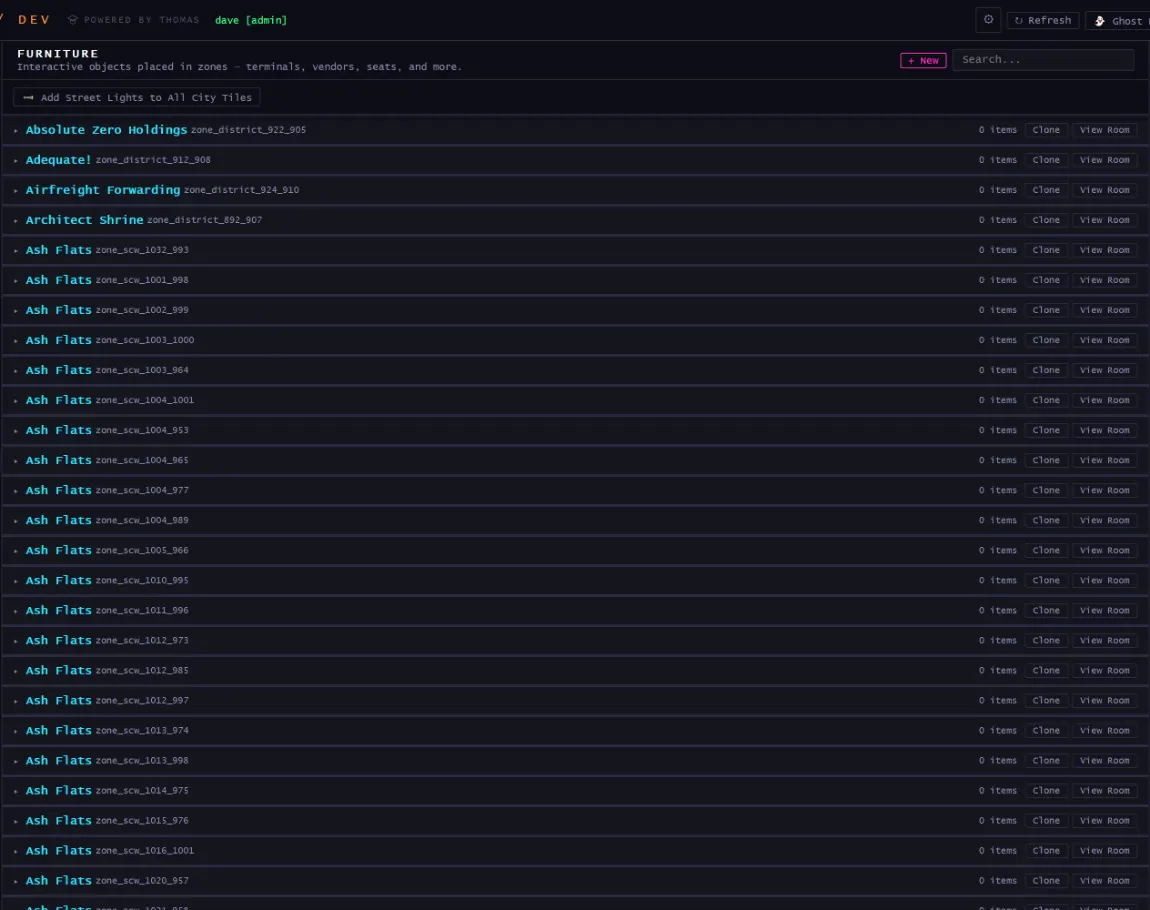
Furniture
Furniture
Interactive objects placed in zones: terminals, vendors, seats, and more.
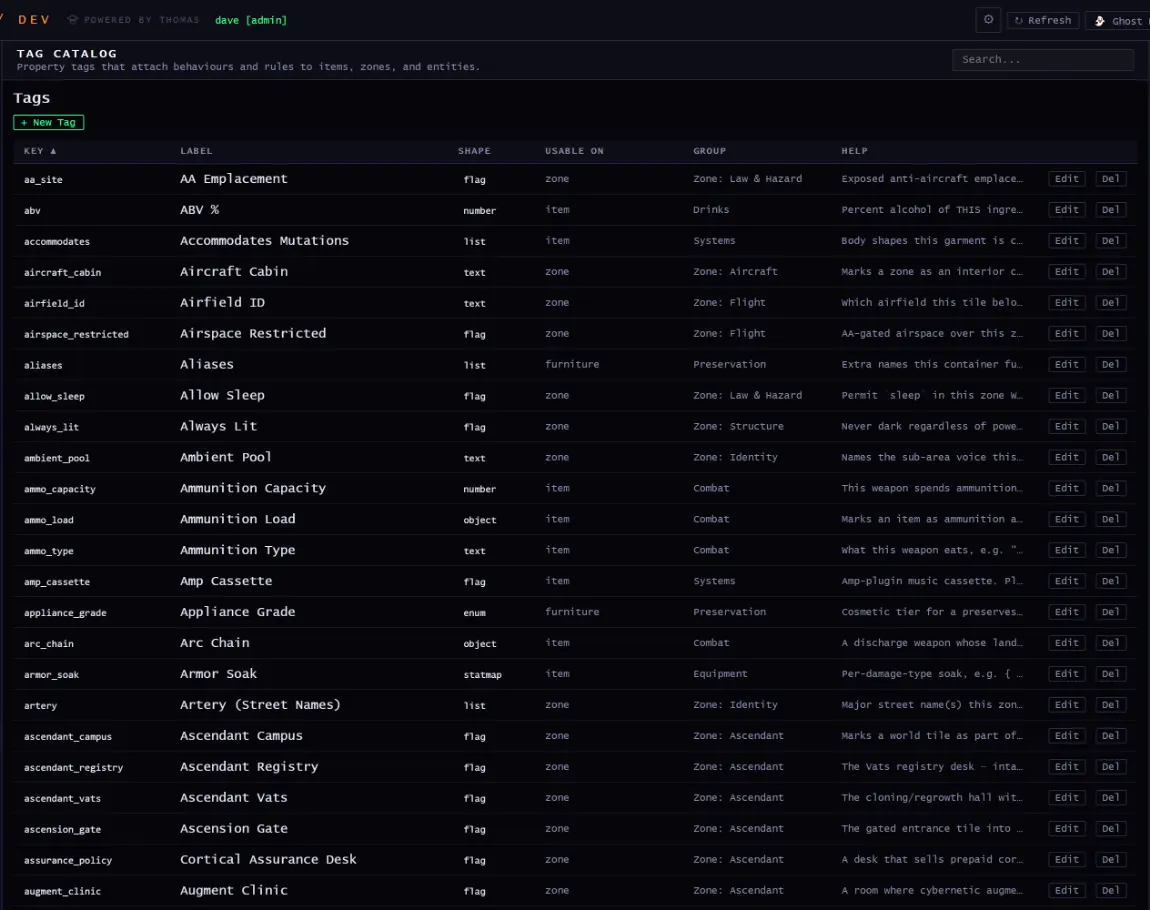
Tag Catalog
Tags
Property tags that attach behaviours and rules to items, zones, and entities.
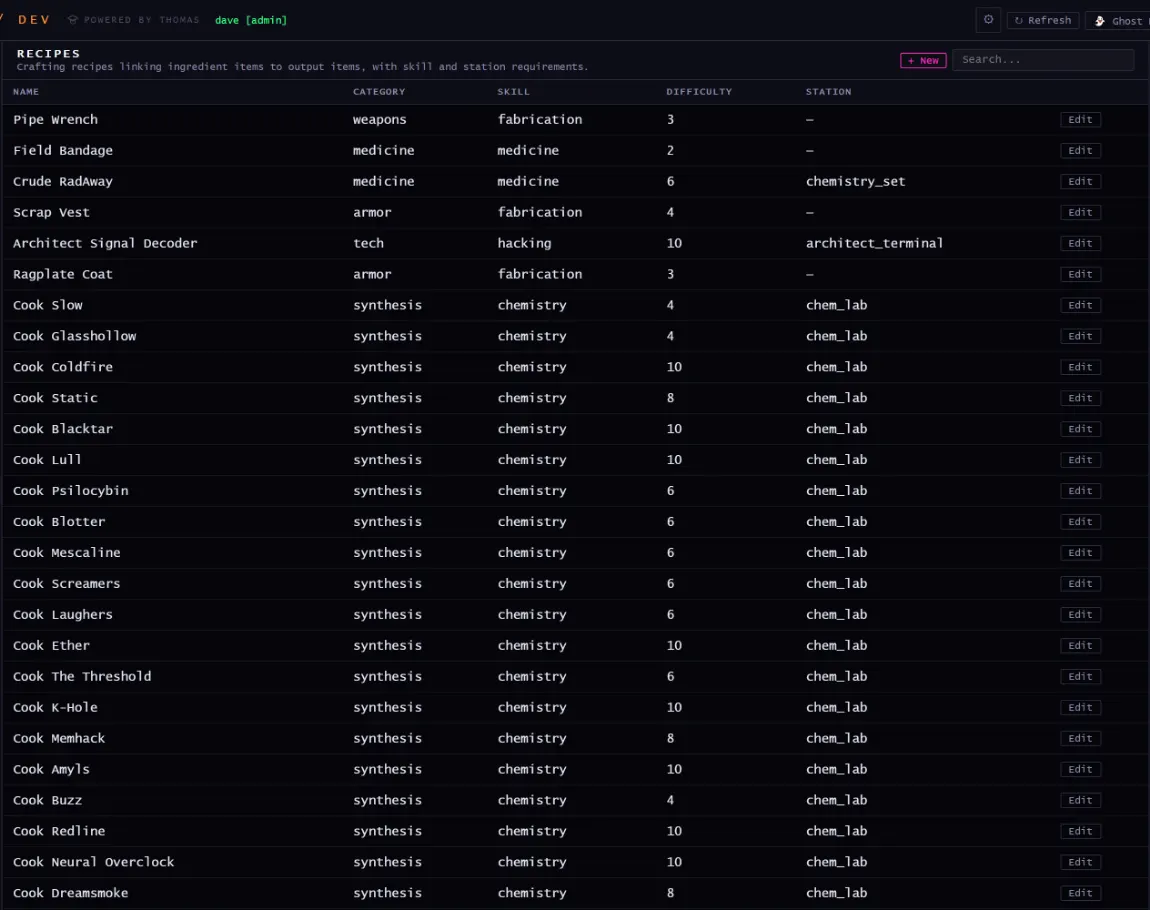
Recipes
Recipes
Crafting recipes linking ingredient items to output items, with skill and station requirements.
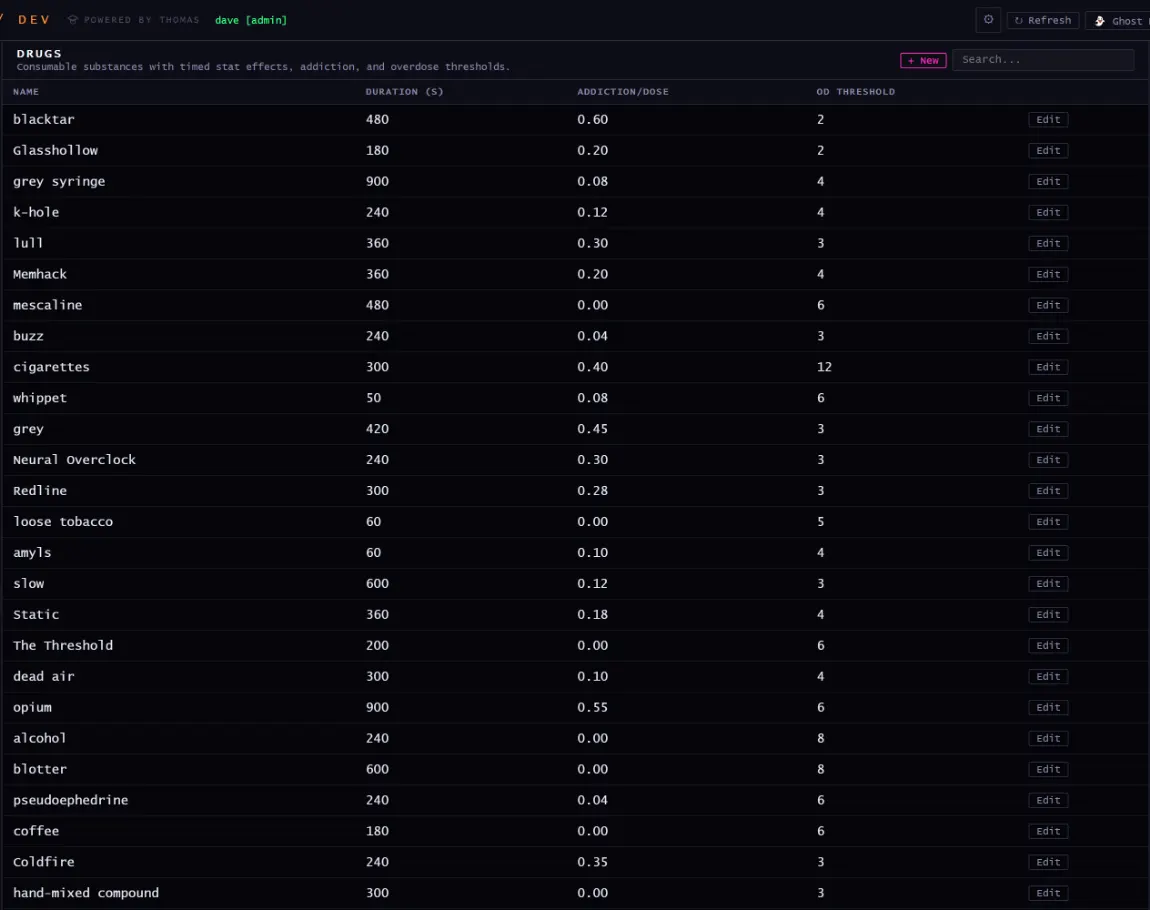
Drugs
Drugs
Consumable substances with timed stat effects, addiction, and overdose thresholds.
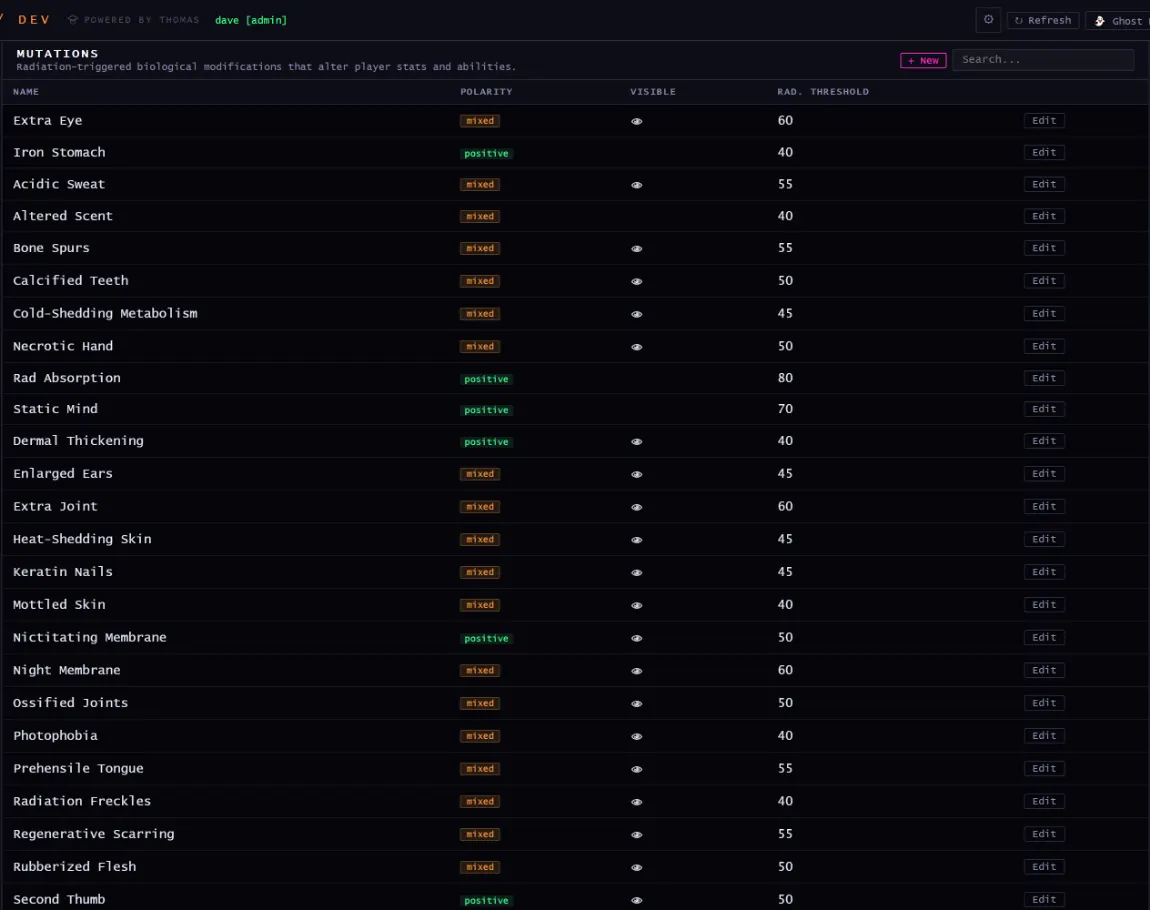
Mutations
Mutations
Radiation-triggered biological modifications that alter player stats and abilities.
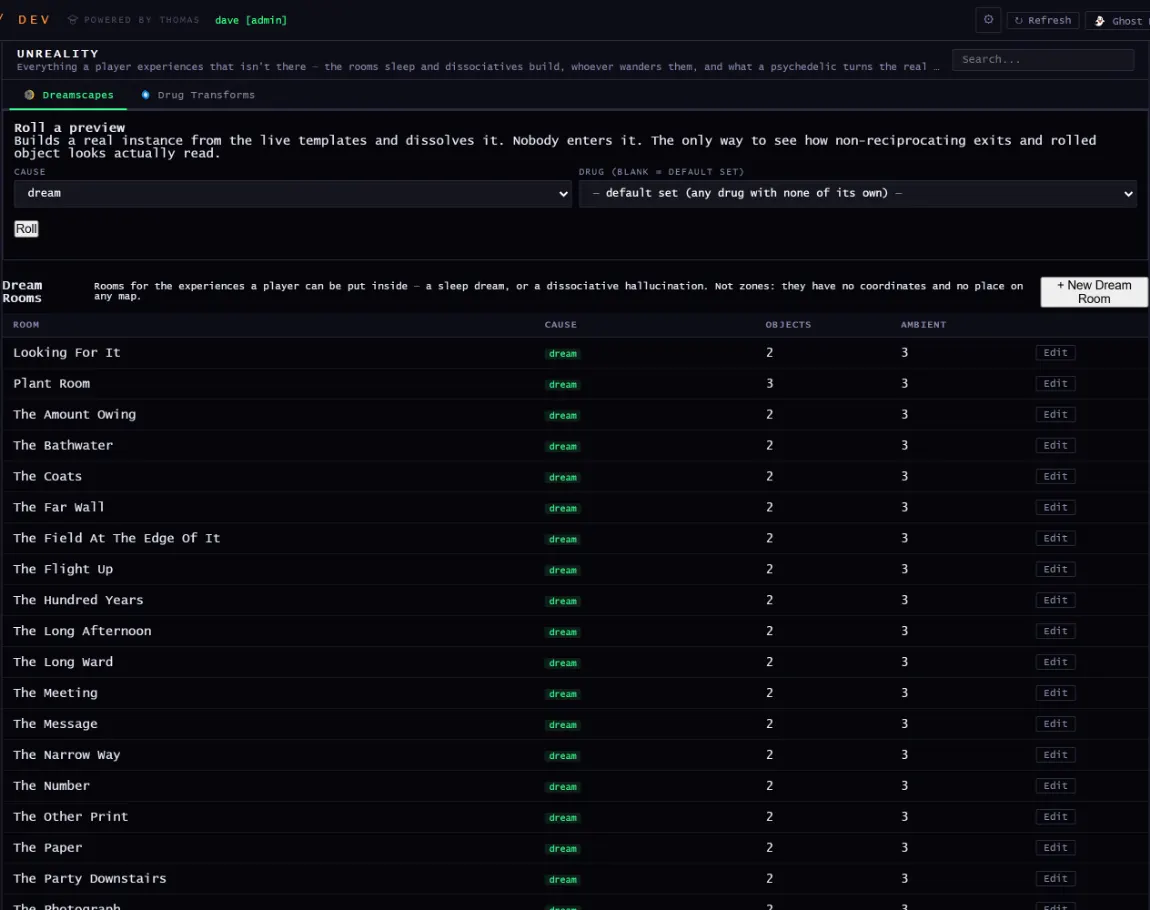
Dream Rooms
Unreality
Rooms for the experiences a player can be put inside, such as a sleep dream or a dissociative hallucination. Not zones: no coordinates, no place on any map.
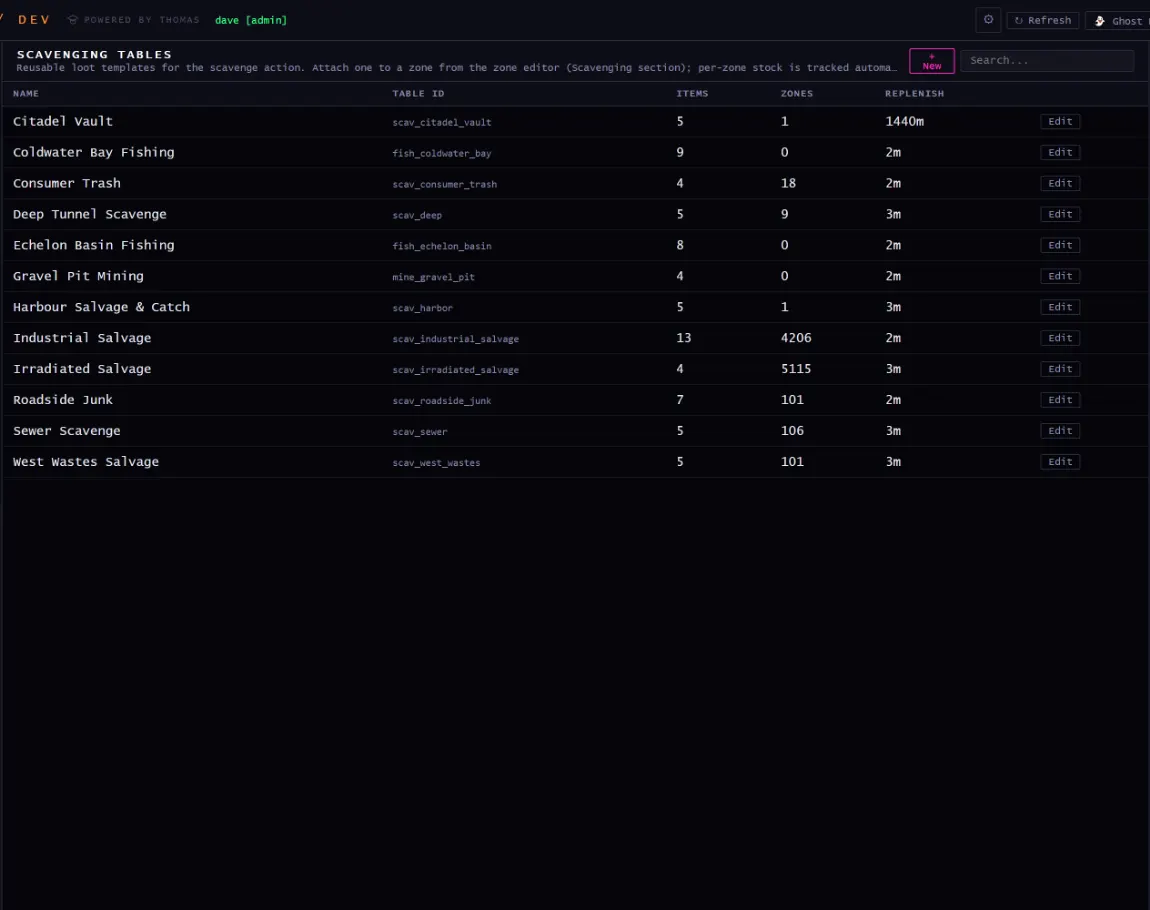
Scavenging
Scavenging tables
Reusable loot templates for the scavenge action, attached to a zone from the zone editor.
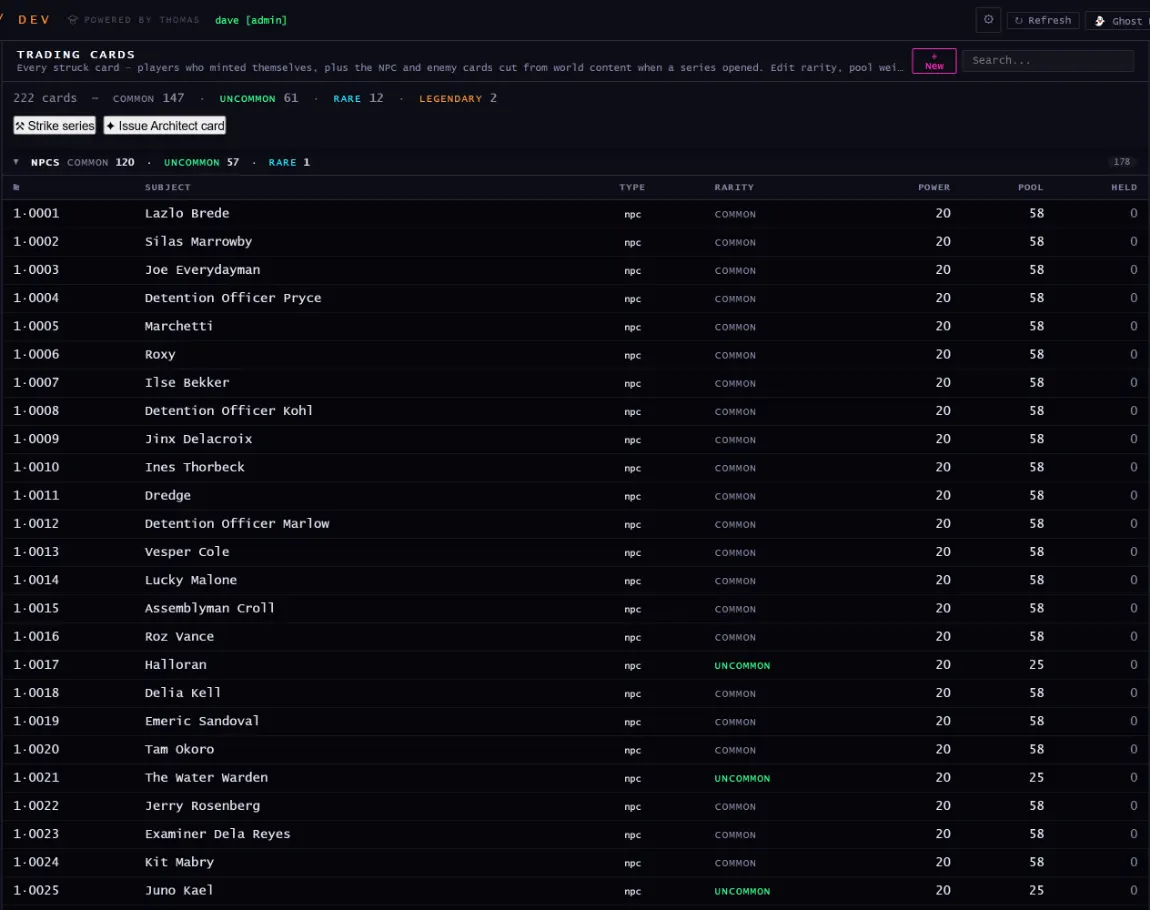
Trading Cards
Cards
Every struck card: players who minted themselves, plus NPC and enemy cards cut from world content. Character counters enforce the text budgets, because a card must never truncate.
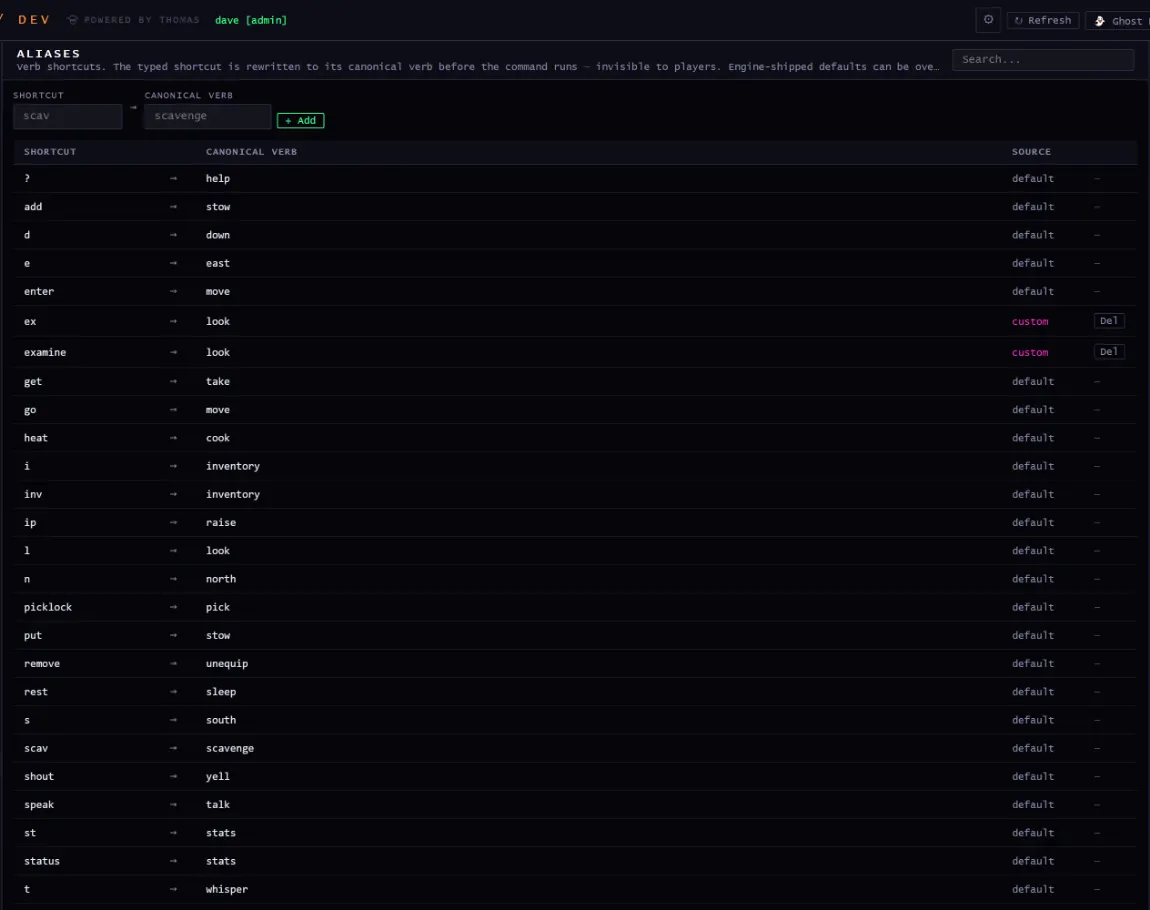
Aliases
Aliases
Verb shortcuts, rewritten to the canonical verb before the command runs. Players never see them. Engine defaults can be overridden and restored.
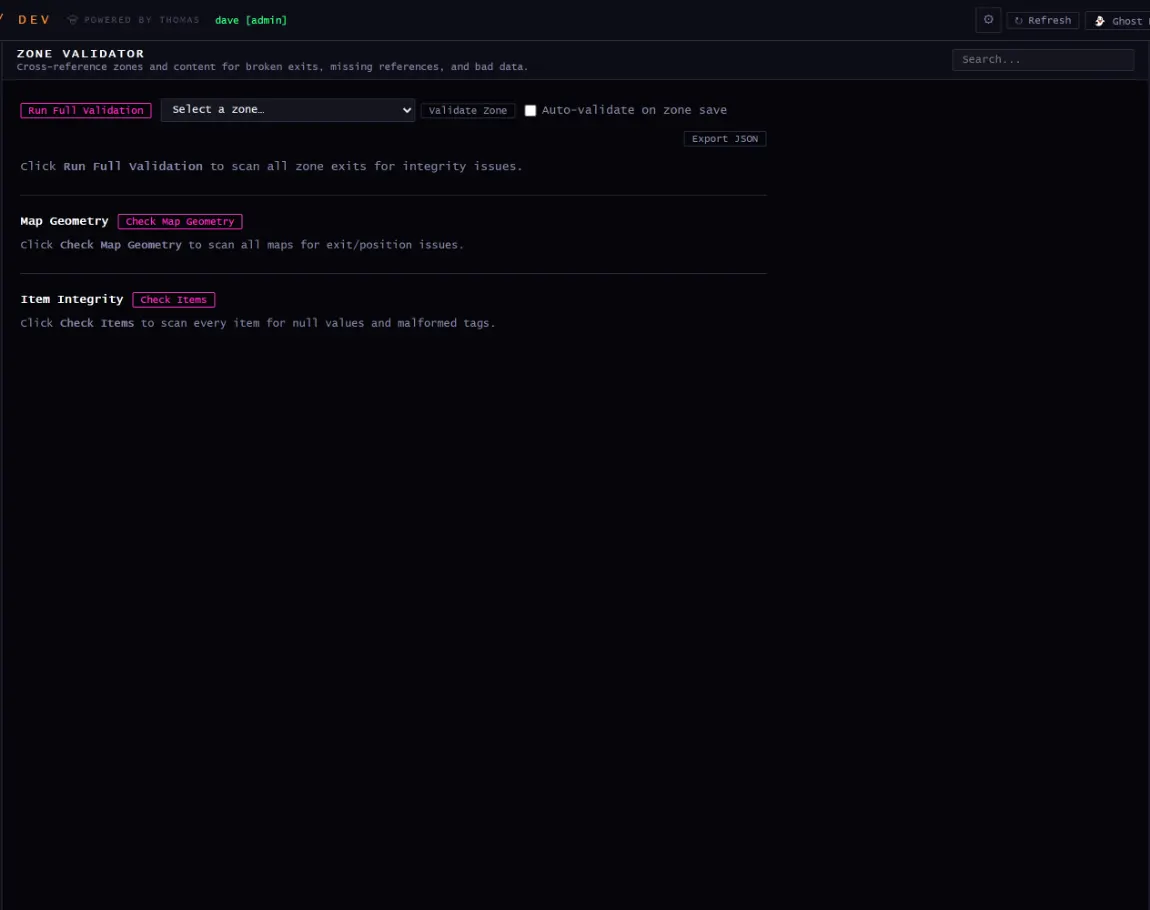
Zone Validator
Validator
Cross-references zones and content for broken exits, missing references, and bad data.
/dev → audio, soundscript, broadcasts
Sound and television
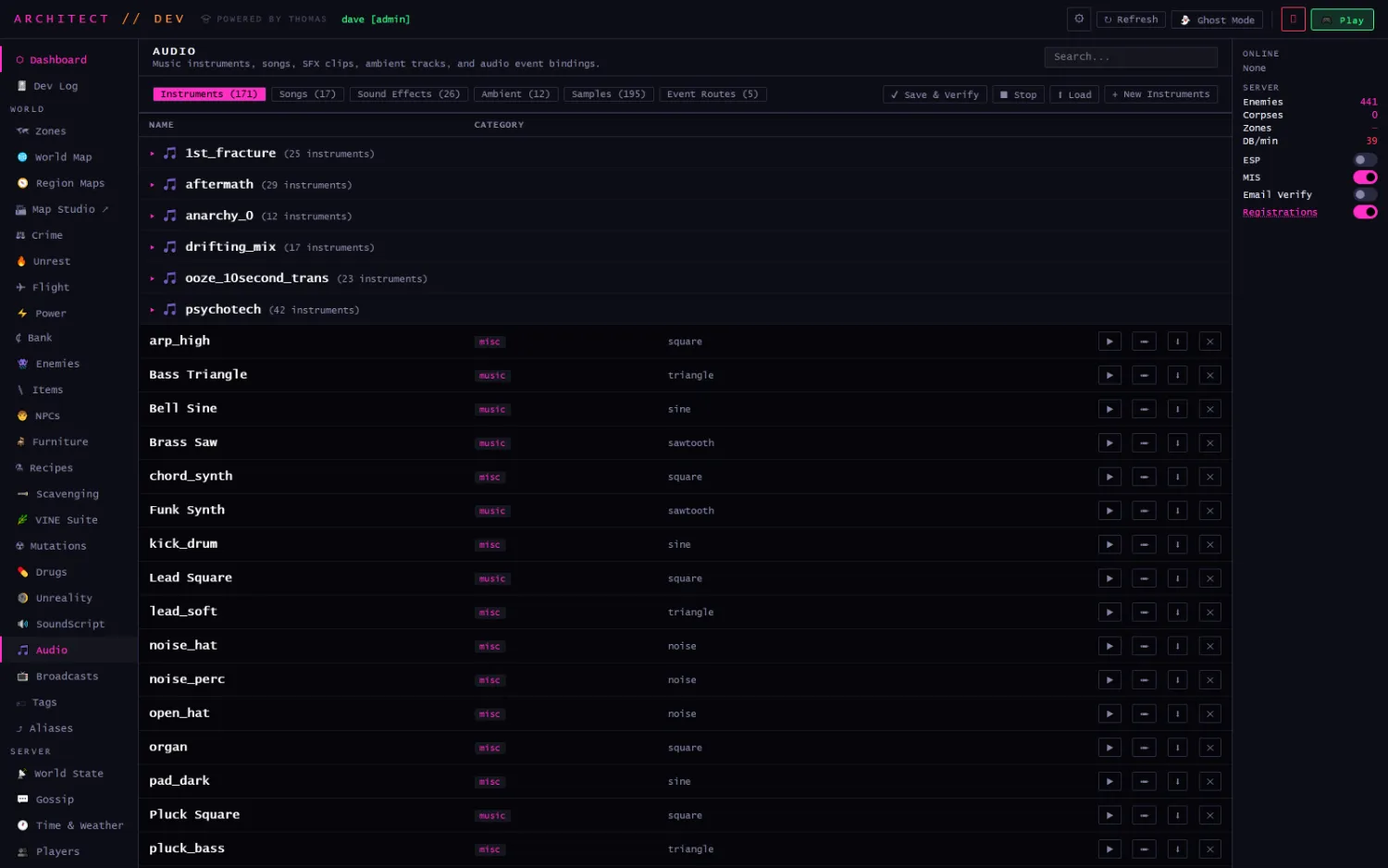
Audio is authored, not shipped as files. Instruments are synth definitions; the client builds the sound.
Audio
Music instruments, songs, SFX clips, ambient tracks, and audio event bindings. 171 instruments, 17 songs, 26 sound effects, 12 ambient beds, 195 samples and 5 event routes. Each instrument names a waveform (square, triangle, sine, sawtooth, noise), and every row auditions in place. Songs group into named kits (psychotech, 42 instruments).
SoundScript
SoundScript
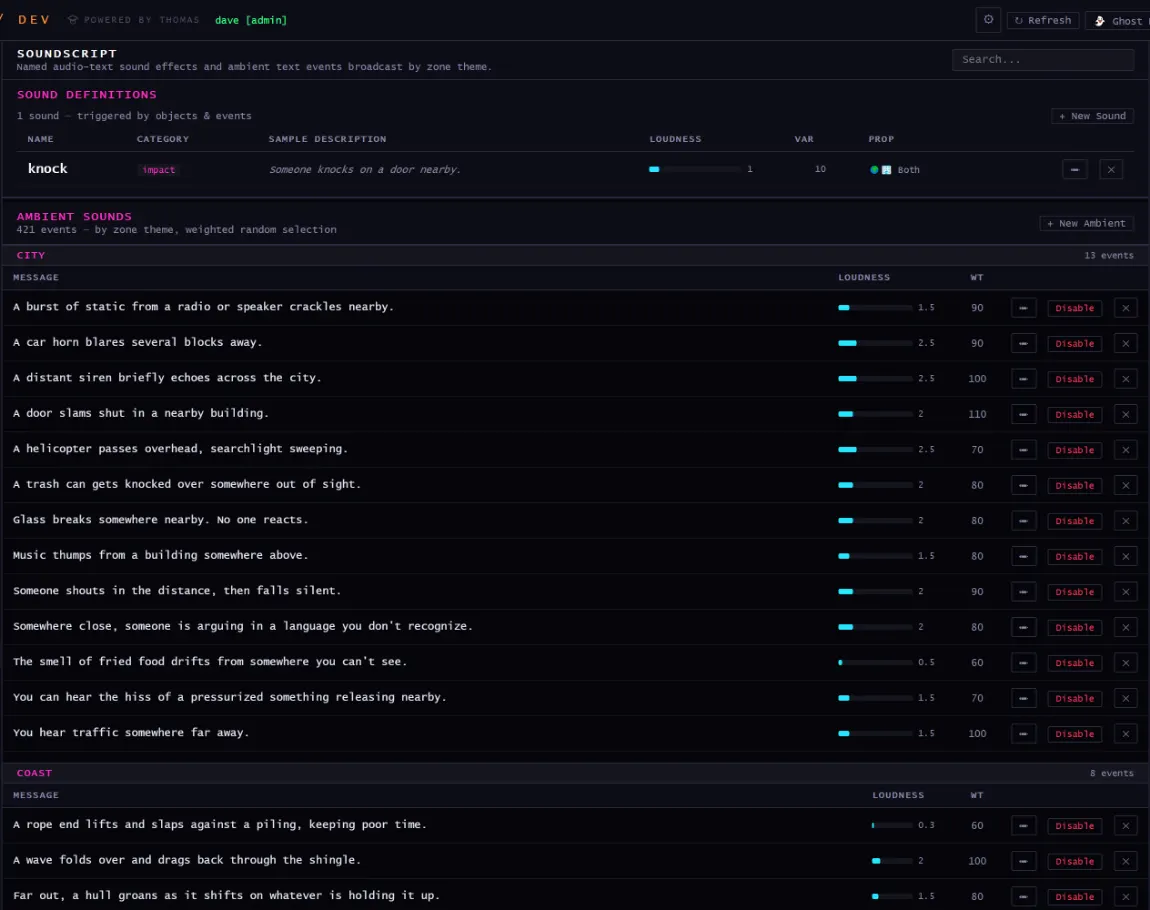
Named audio-text sound effects and ambient text events, broadcast by zone theme.
Broadcasts
Broadcasts
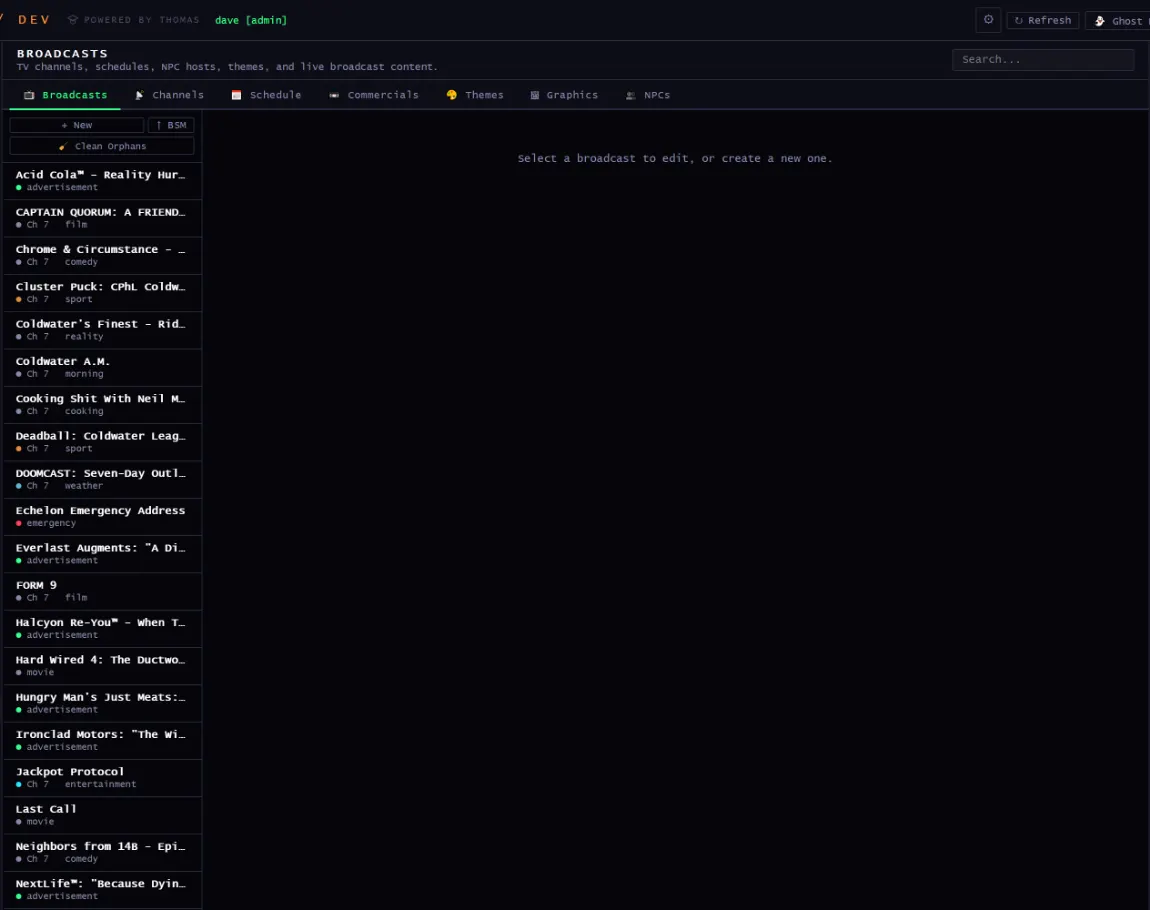
TV channels, schedules, NPC hosts, themes, and live broadcast content.
Gossip Pool
Gossip
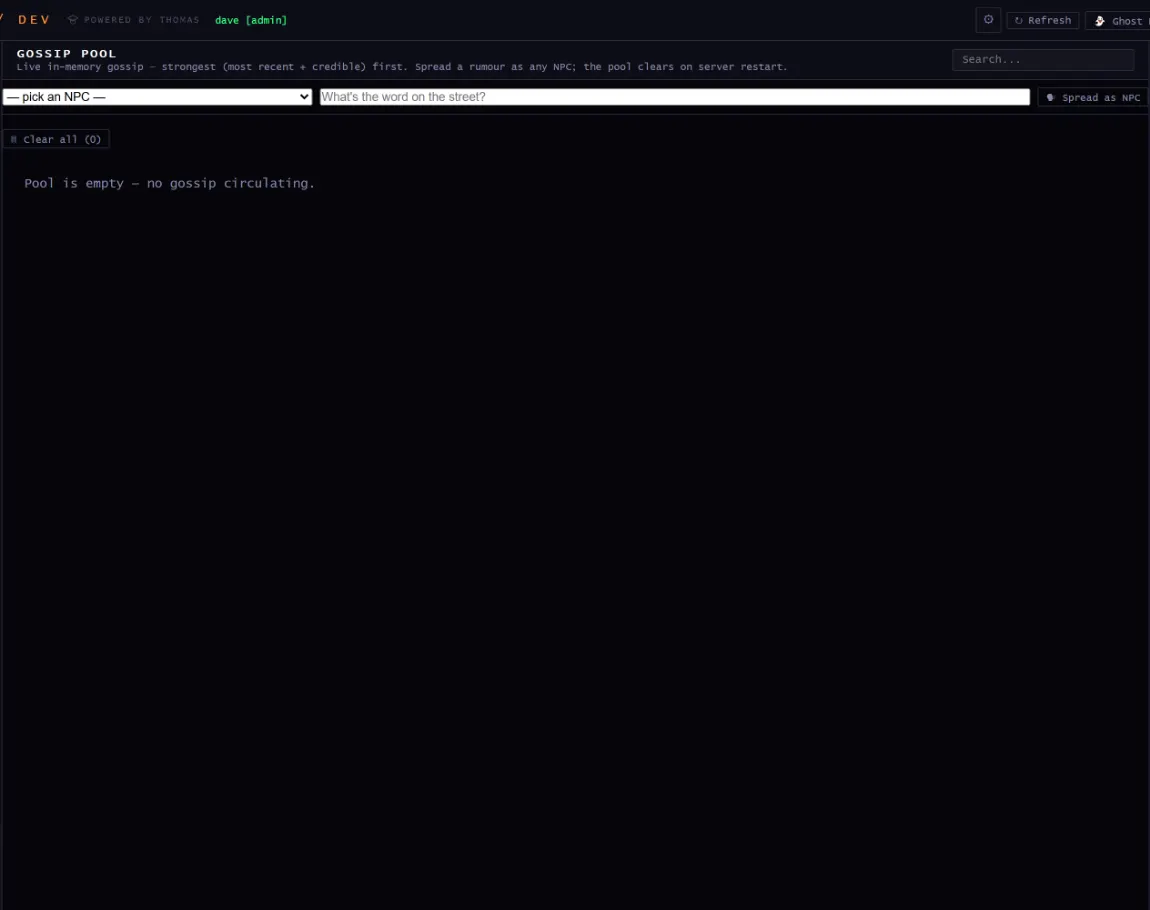
Live in-memory gossip, strongest first. Spread a rumour as any NPC; the pool clears on restart.
/dev → server
The world while it's running
These screens aren't editors. They're instruments on a simulation that keeps moving whether or not anyone is looking at it.
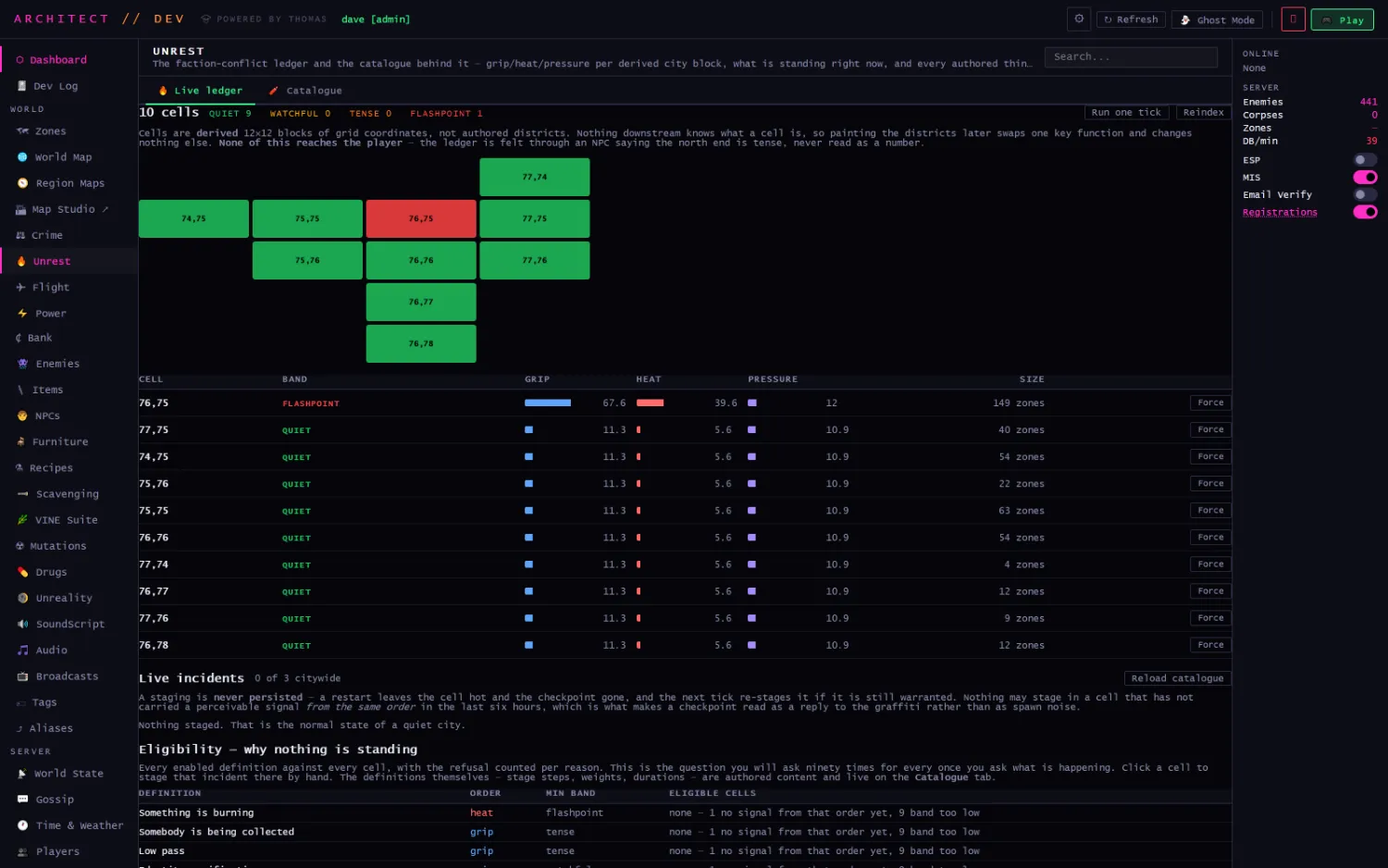
Unrest · operator-only by design
The faction-conflict ledger: grip, heat and pressure per derived city block, the band each sits in, the authored role roster, and every live incident. None of it reaches the player: there's no verb, no gauge and no number in the game client, because the moment there's one the simulation becomes a dashboard to optimise. The dev panel shows every scalar.
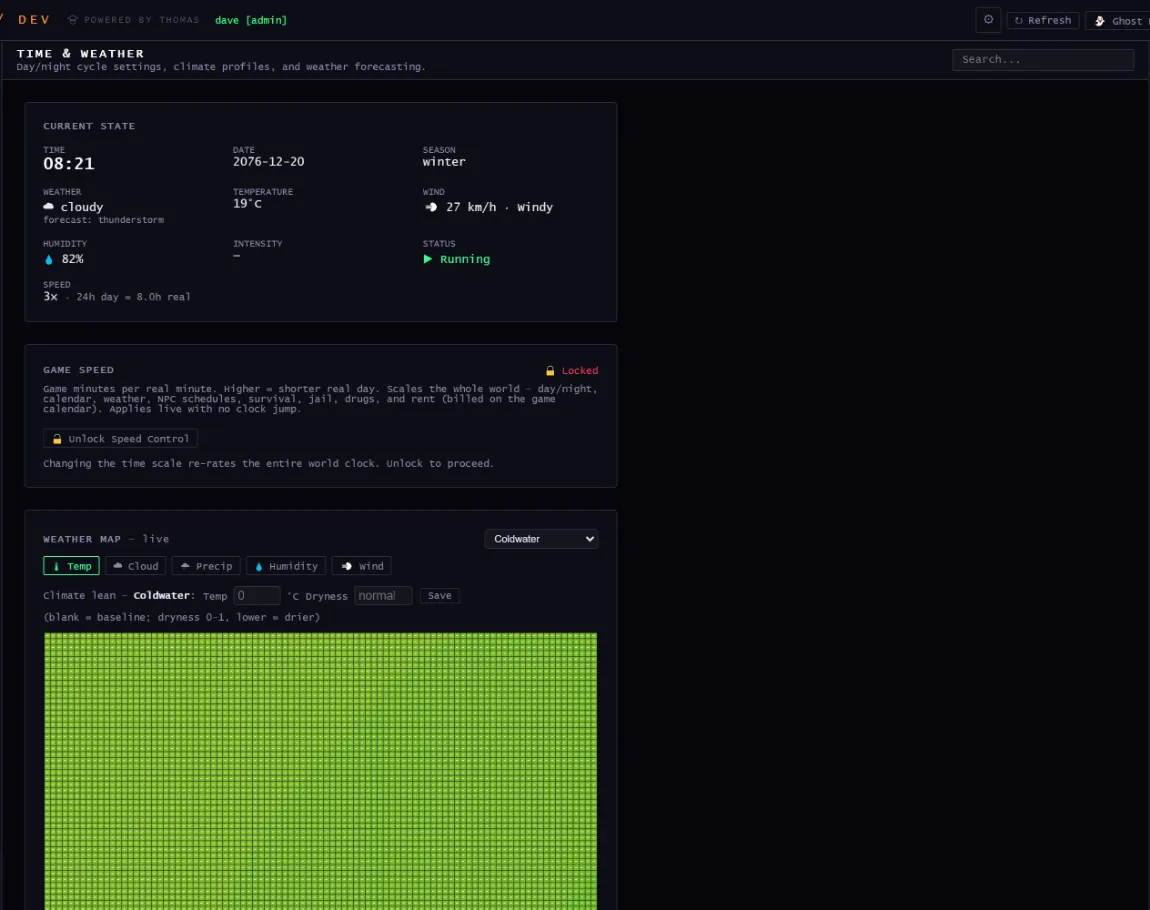
Time & Weather
Time & weather
Day/night cycle settings, climate profiles, and weather forecasting.
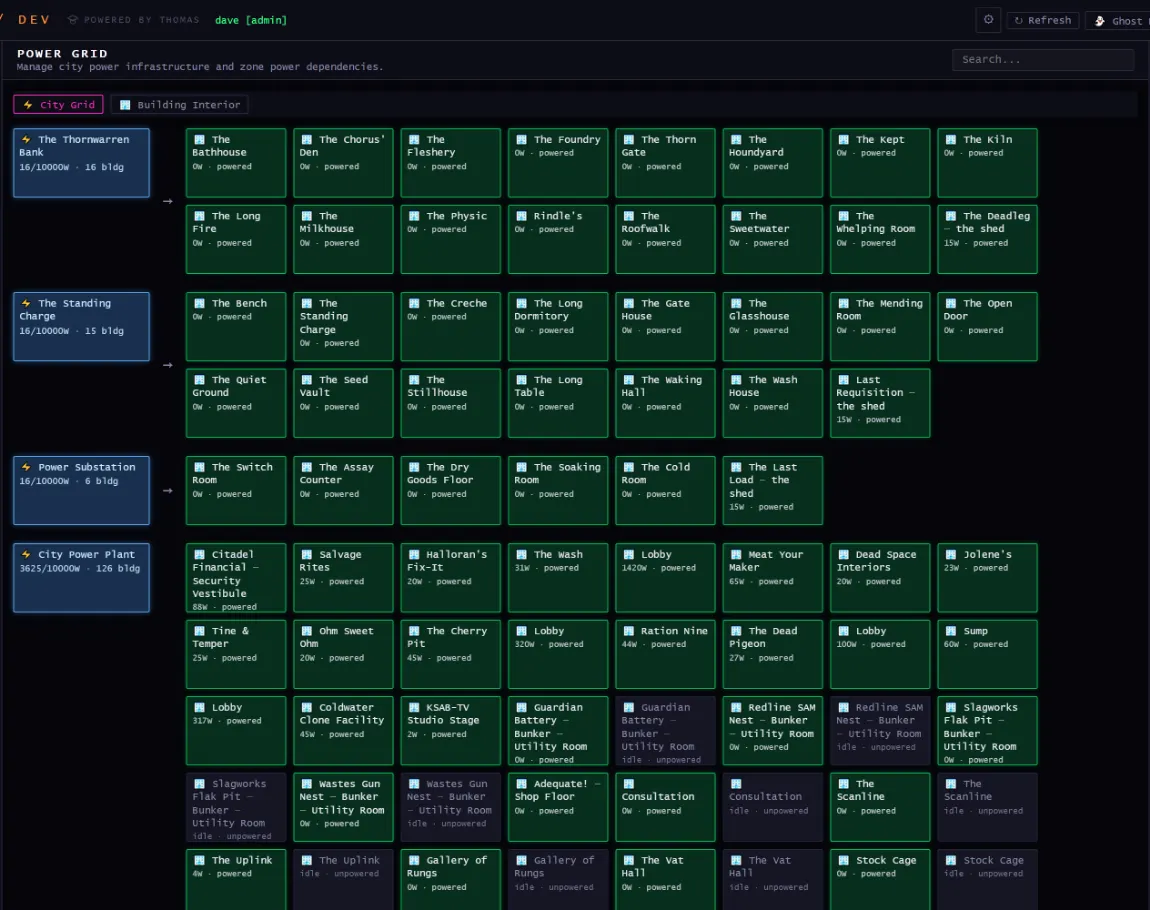
Power Grid
Power
City power infrastructure and per-zone power dependencies.
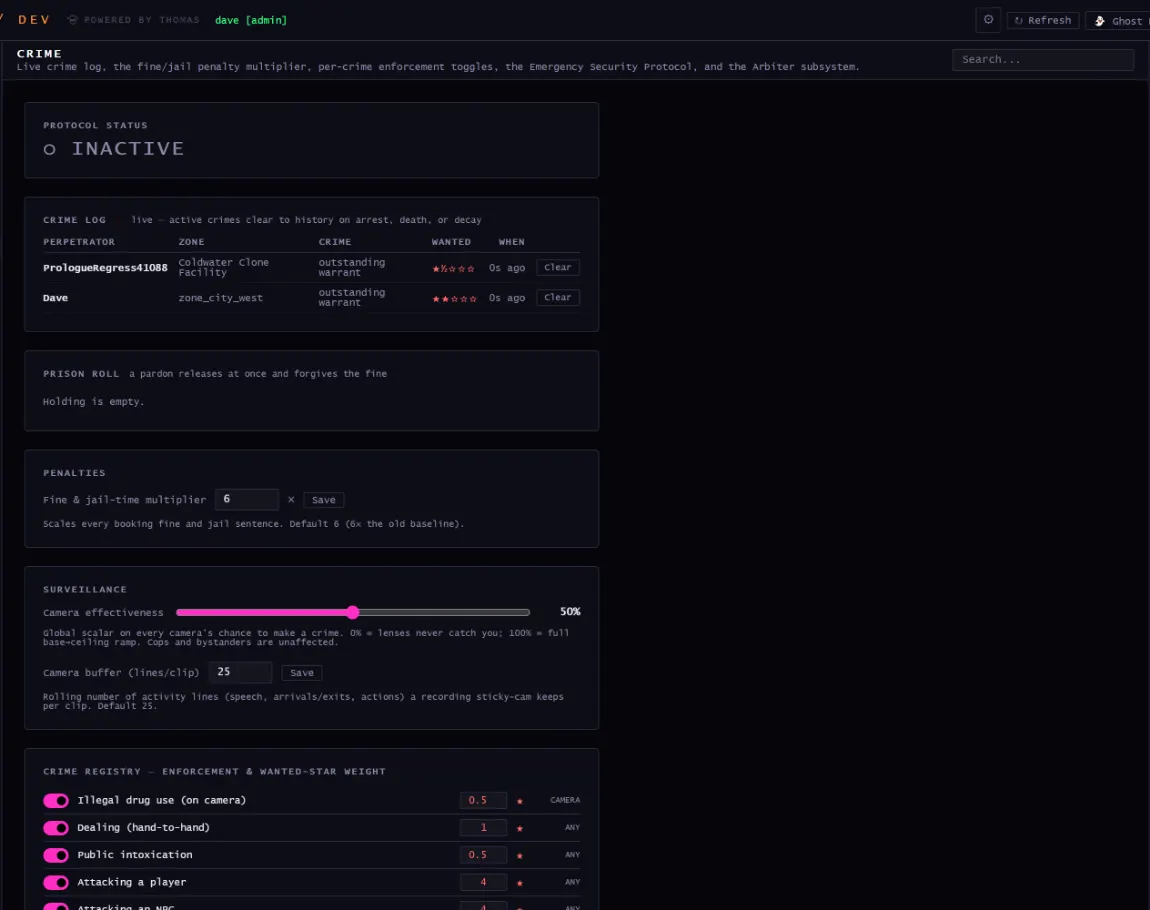
Crime
Crime
Live crime log, the fine and jail multiplier, per-crime enforcement toggles, the Emergency Security Protocol and the Arbiter subsystem.
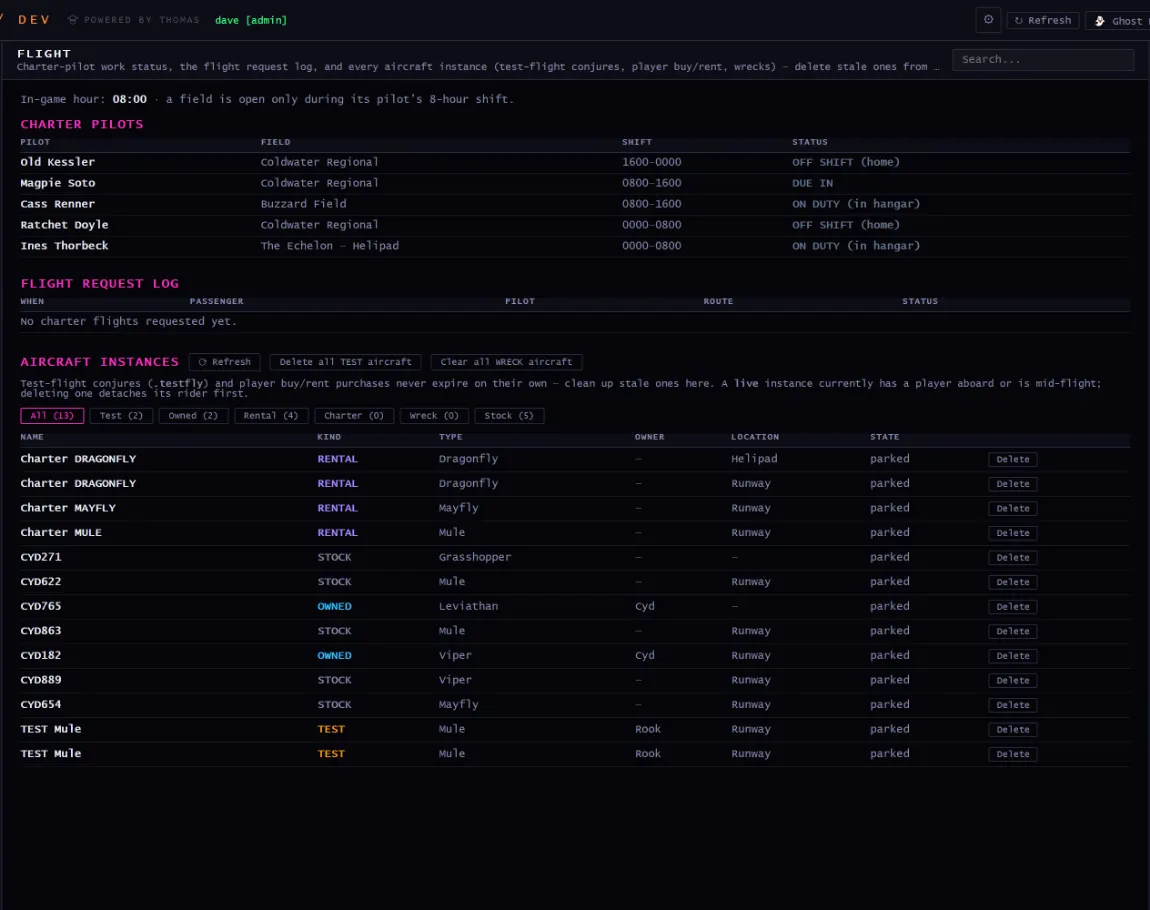
Flight
Flight
Charter-pilot work status, the flight request log, and every aircraft instance: conjures, player purchases, wrecks.
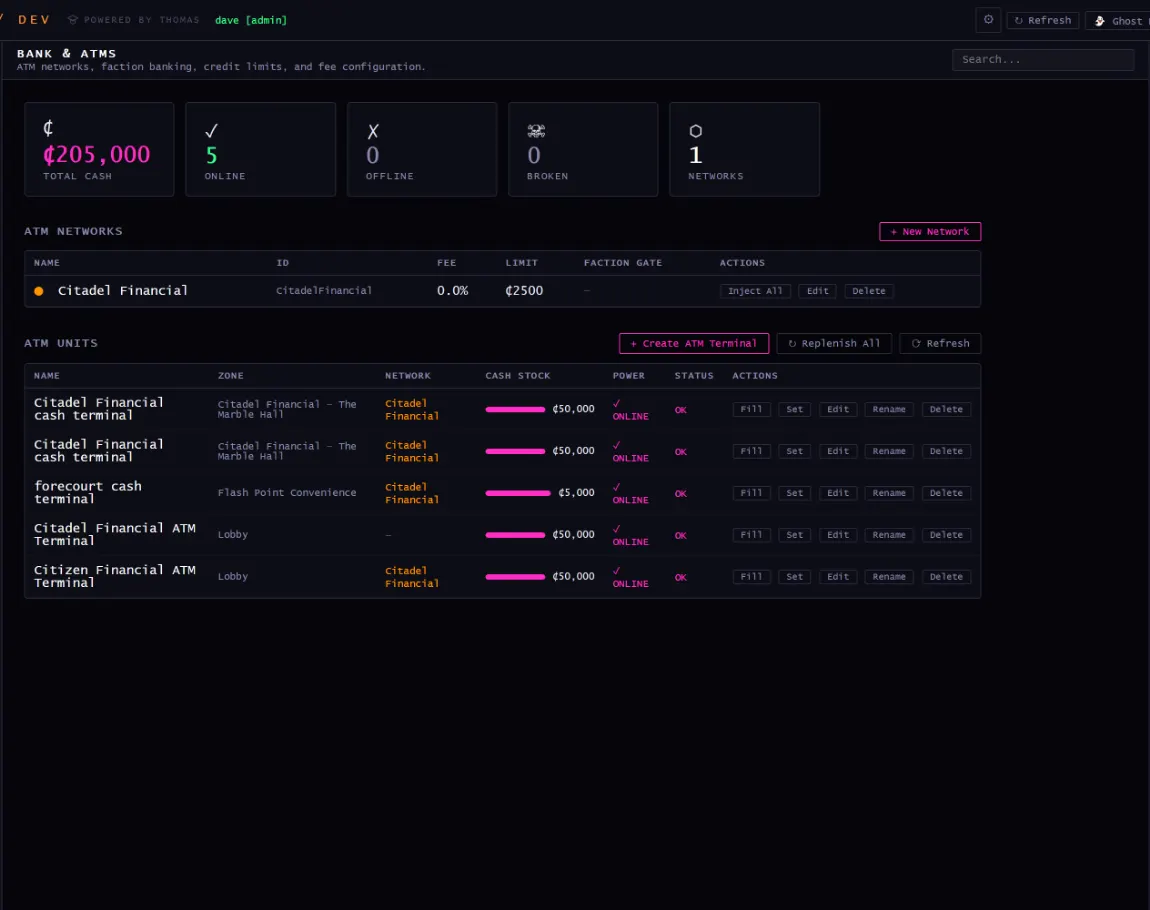
Bank & ATMs
Bank
ATM networks, faction banking, credit limits, and fee configuration.
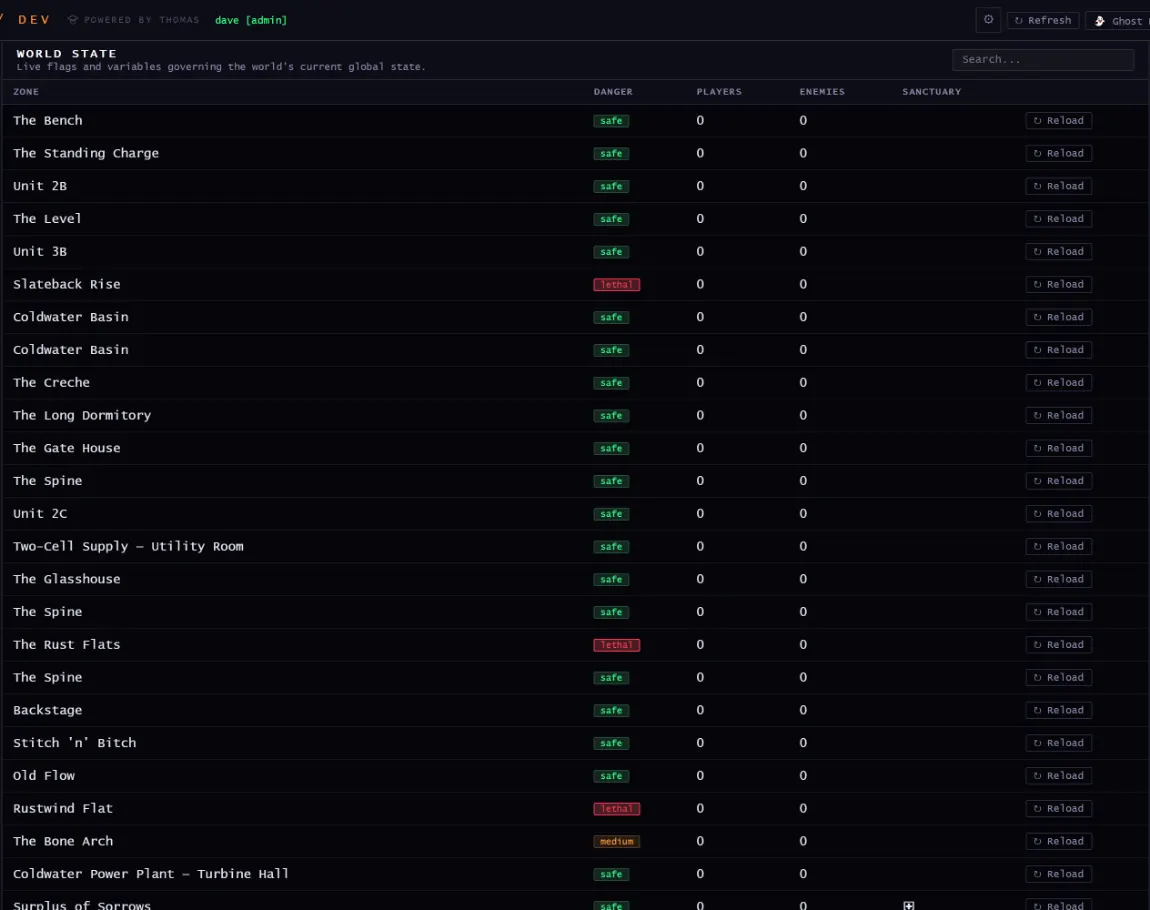
World State
World state
Live flags and variables governing the world.
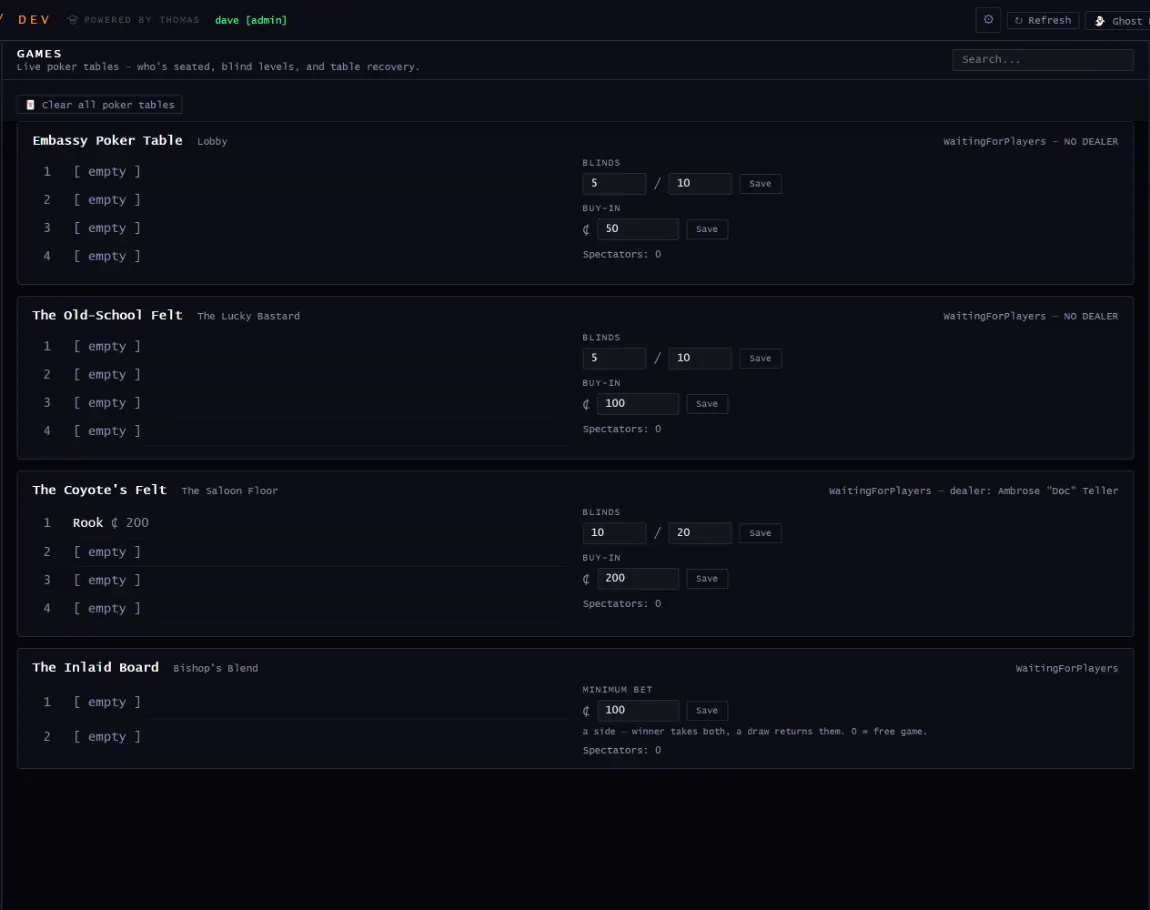
Games
Games
Live poker and chess tables: who is seated, what's in the pot.
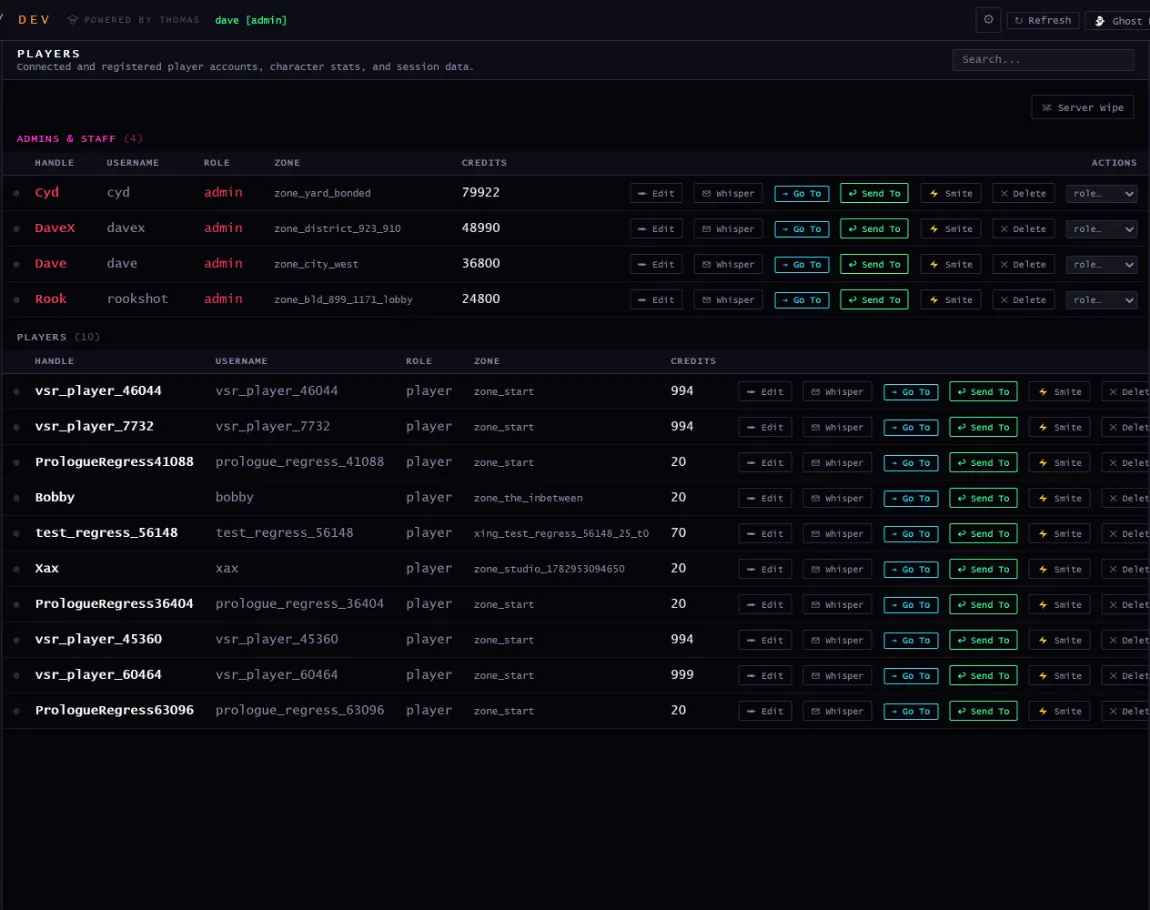
Players
Players
Connected and registered accounts, character stats, and session data.
Architect · street level
The same simulation from the other side of the wire: Ironside Street, where the light is poor and details are hard to make out. That line comes from the lighting model.
Pipeline
The rails underneath
Two rules hold the rest up. Engine and content are separate: the codebase is the engine, the world lives in Postgres and under a content tree. And nothing migrates on boot: schema and content both change deliberately.
Gate
What it refuses to let through
regress
Boots the world and all plugins with no server, sweeps every plugin manifest against the live registries, then drives real commands end to end.
content:lint
A hand-authored content file carrying a runtime column.
docs:lint
A dead doc link, a plugin verb missing from the index, a fired hook missing from the hook reference, or a status header that contradicts its own body.
client:smoke
A client file that fails to parse. There's no build step, so nothing else would catch it.
shapes:smoke
A building model that throws when a player flies past it.
query-lint
A database round trip added to a hot path.
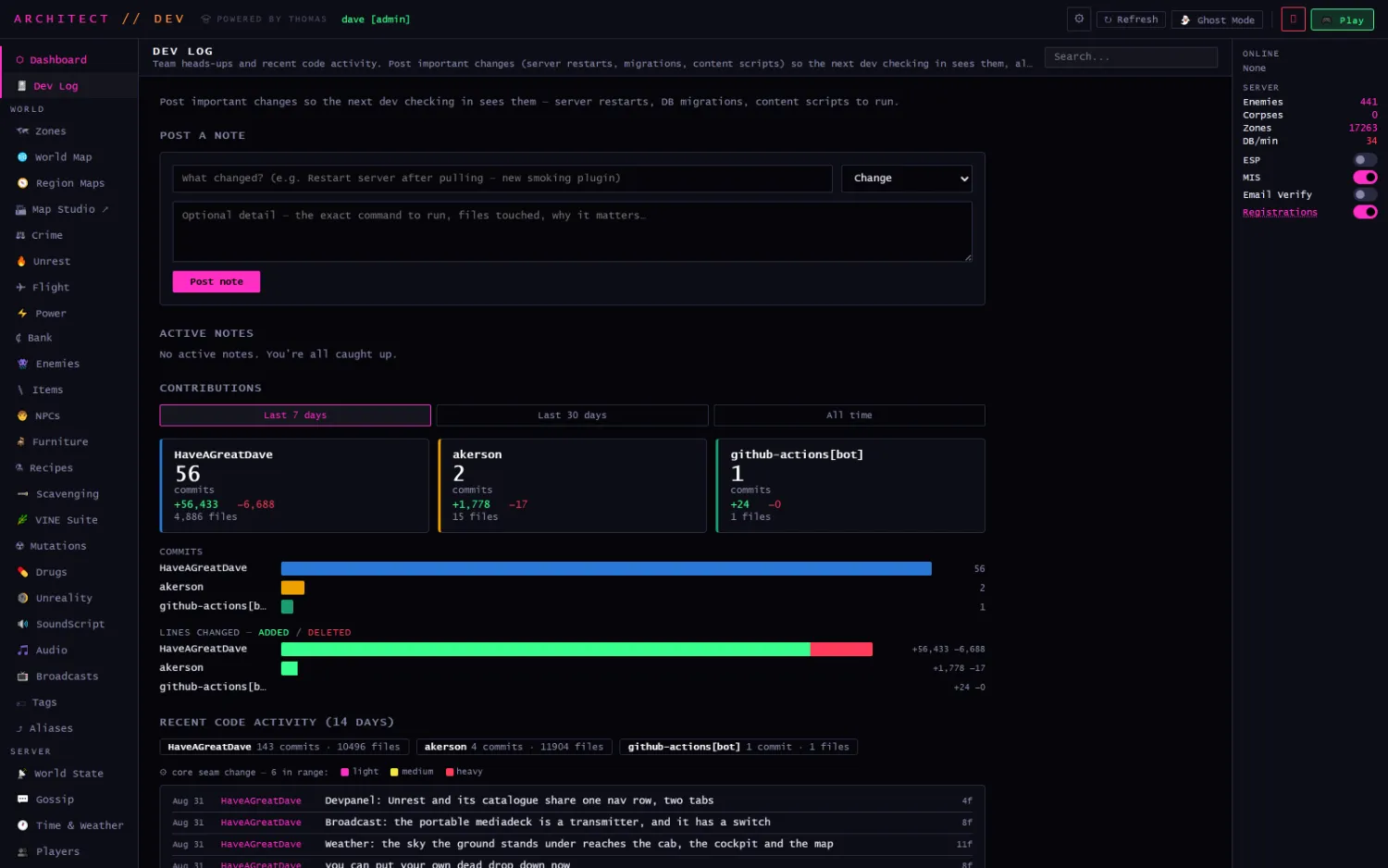
Dev Log
Team heads-ups and recent code activity: server restarts, migrations and content scripts posted where the next person checking in will see them, alongside a commit feed by author. The dashboard counts what has landed since you last looked: 148 commits, 6 of them core-engine changes, in the last 14 days.
Where the name comes from
THOMAS appears exactly once in the running product, on the dev panel's boot splash. It reads as if it names the dev panel, but it names the platform the splash is booting: the client, the engine, the plugin loader, the editors on this page and the deploy pipeline behind them. Coldwater, the Basin and everything written in them are Architect, and they're the part a second game would replace.